Loyalty Program

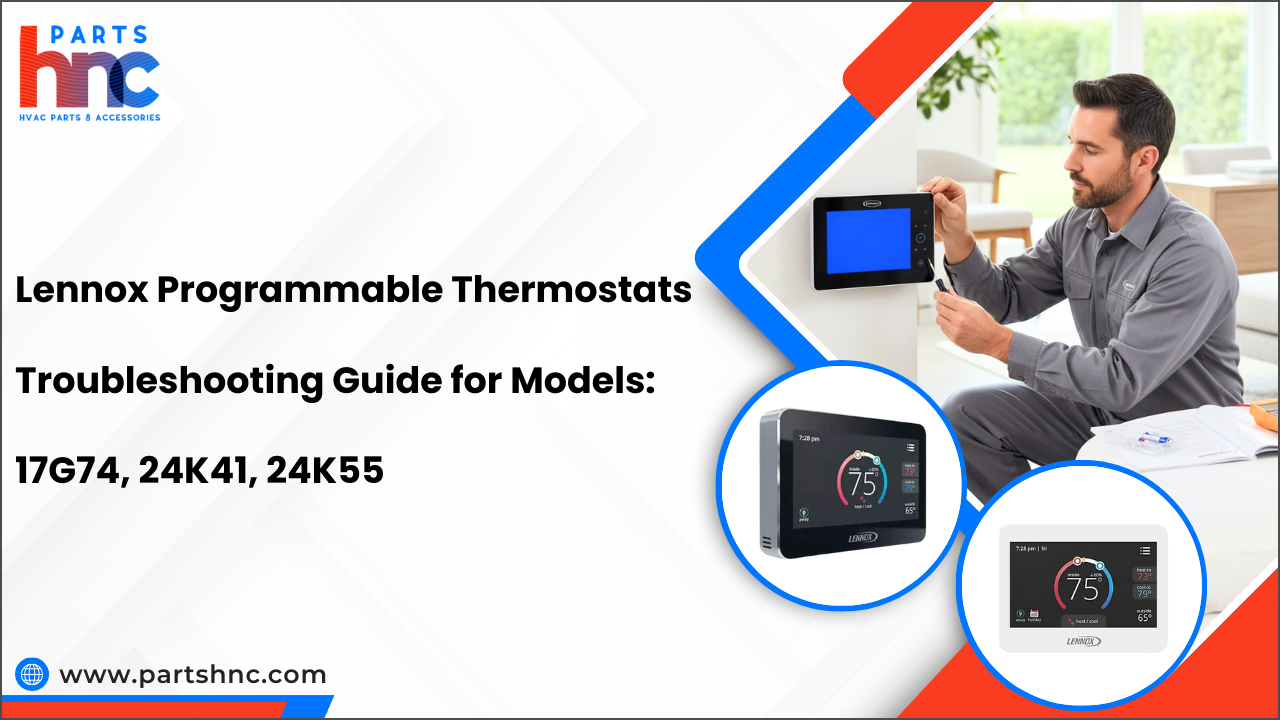
Lennox Programmable Thermostats Troubleshooting Guide for Models: 17G74, 24K41, 24K55
Programmable thermostats have become essential tools for maintaining comfort and energy efficiency in homes. Lennox, a trusted name in heating and cooling, offers programmable thermostats designed to provide precise temperature control and customizable scheduling. Models such as the 17G74, 24K41, and 24K55 combine user-friendly interfaces with advanced programming features, making it easier for homeowners to manage indoor climates. Despite their reliability, users may occasionally encounter issues like unresponsive displays or programming errors.
This troubleshooting guide helps you quickly identify and resolve common problems with these Lennox thermostat models. By following step-by-step instructions, tips, and best practices, you can restore functionality, optimize performance, and extend the life of your thermostat, ensuring your home remains comfortable year-round.
Why Does Lennox Thermostat Efficiency Matter?
A thermostat’s efficiency influences comfort, cost, and system durability. Lennox models like 17G74, 24K41, and 24K55 help you optimize all three effortlessly.
-
Precision Scheduling: Cuts energy waste by adjusting temperatures to actual usage patterns.
-
Load Management: Prevents HVAC spikes, reducing strain during peak hours.
-
Adaptive Comfort: Responds to real-time changes for consistent indoor conditions.
-
Preventive Insight: Highlights inefficiencies before they become costly repairs.
-
Energy Cost Control: Balances comfort with lower monthly utility bills.
-
Eco-Friendly Operation: Minimizes unnecessary energy use, reducing environmental impact.
-
Longevity Boost: Efficient cycling prolongs equipment life, reducing maintenance frequency.
How Lennox Thermostats Work: Smart Control Behind the Comfort
Lennox thermostats do more than set temperatures; they actively optimize your home environment while reducing energy strain. Their smart systems adapt in ways most users rarely notice.
|
Feature |
Function |
|
Predictive Heating & Cooling |
Learn how quickly your home gains or loses heat to preemptively adjust settings. |
|
Micro-Adjustment Control |
Makes subtle temperature tweaks to maintain comfort without triggering full HVAC cycles. |
|
Demand Response Ready |
Integrates with utility signals to reduce load during peak energy periods. |
|
Adaptive Fan Management |
Optimizes airflow for quieter operation and better system efficiency. |
|
Environmental Sensing |
Detects sunlight, humidity, or occupancy patterns to fine-tune performance. |
|
Self-Diagnosing Alerts |
Monitors HVAC performance and recommends maintenance before problems occur. |
|
Programmable Schedules |
Set daily or weekly temperature profiles to match occupancy. |
|
Touchscreen Control (24K55) |
Intuitive interface for quick, easy adjustments. |
|
Smart Sensors |
Detect room occupancy or temperature fluctuations for more precise heating and cooling. |
Common Lennox 17G74 Commercial Programmable Thermostat Problems & Easy Fixes
The Lennox 17G74 is a programmable commercial thermostat designed for accuracy and reliability. However, like any control device, issues may arise. Below are common problems and step-by-step fixes.
Thermostat Not Powering On
The display remains blank, and no controls respond.
Causes: Tripped circuit breaker, loose wiring, or dead batteries.
Fixes:
-
Check the Circuit Breaker: Ensure that both the HVAC system and thermostat circuits are switched on. Reset any tripped breakers and verify power is restored.
-
Inspect the Wiring: Examine all thermostat wires, particularly the C-wire, for loose connections, fraying, or damage. Secure or repair as necessary.
-
Replace Batteries: If your thermostat relies on batteries, remove old ones and insert fresh batteries according to the correct polarity.
Inaccurate Temperature Readings
The room feels warmer or cooler than the thermostat reading.
Causes: Miscalibrated thermostat or exposure to sunlight/heat sources.
Fixes:
-
Calibrate the Thermostat: Follow the manufacturer’s instructions to adjust the temperature offset for accurate readings.
-
Relocate or Shield from Heat Sources: Ensure the thermostat is not exposed to direct sunlight, nearby vents, or heat-generating equipment.
-
Check Internal Sensor Position: Open the thermostat housing (if accessible) and ensure the internal temperature sensor is properly positioned and unobstructed.
-
Inspect Airflow Around Thermostat: Make sure air can circulate freely around the thermostat; blocked airflow can cause incorrect readings.
Delayed System Response
HVAC takes longer than expected to start after changing settings.
Causes: Improper cycle settings or loose/corroded relays.
Fixes:
-
Check System Settings: Verify that delay, cycle, and stage settings in the thermostat menu are correctly configured for your HVAC system.
-
Inspect Relay Connections: Examine relays for loose connections or corrosion, which can slow system response, and tighten or clean as needed.
-
Power-Cycle the Thermostat: Restart the thermostat to refresh communication between the thermostat and HVAC system.
Lennox 24K41 Commercial Programmable Thermostat Problems & Step-by-Step Fixes
The Lennox 24K41 offers improved scheduling, better compatibility, and more advanced system communication. But these added features also introduce unique issues.
Here are some common Lennox 24K41 commercial programmable thermostat problems and step-by-step fixes:
Flickering or Blank Display: Screen Gone Dark!
The screen flickers or remains blank.
Causes: Inconsistent power from the C-wire or loose connections.
Fixes:
-
Ensure C-Wire Is Providing Power: Make sure the C-wire is delivering consistent power to the thermostat.
-
Check Wiring Connections: Inspect the thermostat housing for any loose or disconnected wires.
-
Reset to Factory Defaults: Restore the thermostat to factory settings if software glitches persist.
Thermostat Programmed Schedule Failing to Run
Temperature changes do not follow programmed schedules.
Causes: Program mode disabled, corrupted schedule, or outdated firmware.
Fixes:
-
Verify Program Mode Is Enabled: Ensure the thermostat’s schedule mode is turned on.
-
Reprogram the Schedule: Re-enter the temperature schedule if it was altered or lost.
-
Update Thermostat Firmware: Make sure the firmware is current; consult Lennox support if needed.
Heating or Cooling Delay
The HVAC system responds slowly to thermostat commands.
Causes: Wiring issues, incorrect system configuration, or software glitches.
Fixes:
-
Confirm System Configuration: Ensure the thermostat menu is set to the correct HVAC mode and cycle settings.
-
Check HVAC Wiring: Inspect wiring connections between the thermostat and HVAC system for loose or incorrect connections.
-
Power-Cycle the Thermostat: Restart the thermostat to refresh communication with the system.
Explore Daikin One thermostat troubleshooting: here's everything you need to know to quickly diagnose issues, apply effective fixes, and keep your system running smoothly.
Lennox 24K55 Touchscreen Programmable Thermostat Problems & Fixes
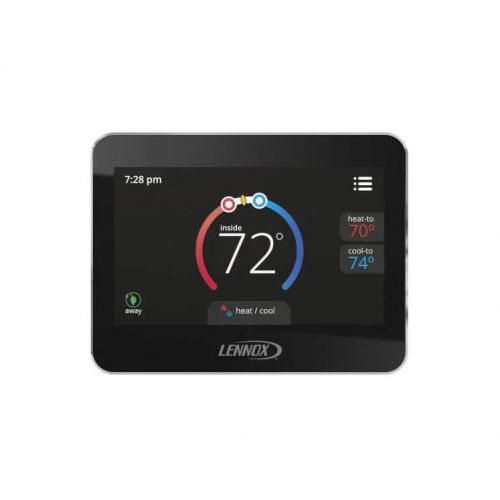
The Lennox 24K55 is a touchscreen commercial thermostat with more advanced features. It is highly intuitive but more sensitive to calibration issues, voltage fluctuations, and screen problems. Here are the common problems and practical fixes for the Lennox 24K55 touchscreen programmable thermostat.
Unresponsive Touchscreen
Touch inputs are ignored or laggy.
Causes: Dirty screen, software glitches, or outdated firmware.
Fixes:
-
Clean the Screen: Gently wipe the touchscreen with a soft, dry cloth to remove dirt, dust, or smudges that may interfere with touch sensitivity. Avoid using harsh chemicals.
-
Restart the Thermostat: Power-cycle the thermostat by turning it off and on or removing it from the wall temporarily to reset the touchscreen software.
-
Update Firmware or Contact Support: Check if the thermostat firmware is up to date. If problems persist after updating, contact Lennox support for assistance.
Wi-Fi or Smart Features Not Connecting
The thermostat fails to connect to the network or app.
Causes: Incorrect Wi-Fi credentials, network instability, or outdated firmware.
Fixes:
-
Verify Wi-Fi Credentials: Double-check that the correct network name (SSID) and password are entered in the thermostat settings.
-
Restart Router and Thermostat: Power-cycle both the router and the thermostat to refresh network connections and resolve temporary connectivity issues.
-
Update Firmware: Ensure the thermostat firmware is up to date, as newer versions may fix connectivity bugs and improve smart feature performance.
Uneven Temperature Distribution
Some areas of the building feel too hot or too cold.
Causes: Improper zoning, poor air circulation, or placement near heat sources.
Fixes:
-
Check Zoning or Dampers: Inspect HVAC zoning and adjust dampers to ensure balanced airflow to all areas.
-
Reposition Thermostats: Ensure thermostats are not near direct sunlight, vents, or heat-generating equipment that could skew temperature readings.
-
Optimize Fan Circulation: Confirm that fans are operating correctly and circulating air effectively throughout all rooms to maintain consistent temperatures.
Check out how to reset Emerson thermostat to learn the proper steps for safely rebooting your system and restoring full thermostat functionality in just minutes.
Lennox Thermostat Preventive Maintenance Tips for Long-Term Reliability
Proper maintenance goes beyond cleaning and battery checks; subtle adjustments can significantly improve performance. These lesser-known steps help ensure your thermostat remains precise, efficient, and reliable.
-
Clean Internal Airflow Vents: Dust can accumulate inside thermostat vents that protect the temperature sensor; gently brush them to maintain accurate readings.
-
Check for Electromagnetic Interference: Keep electronic devices, routers, or large speakers away from the thermostat, as interference can affect sensor performance.
-
Test Battery Backup Functionality: For models with battery backup, temporarily cut the main power to confirm the backup operates correctly.
-
Verify Sensor Placement: Ensure the thermostat is not near drafty areas, direct sunlight, or heat sources inside the housing that could skew readings.
-
Screen Calibration Check (Touchscreen Models): Regularly test touchscreen responsiveness across all zones; recalibrate if supported to avoid lag or dead spots.
-
Inspect Buttons and Mechanical Components: Gently press all physical buttons or switches to ensure smooth operation and prevent stiffness over time.
-
Document Firmware and Settings: Keep a log of firmware versions, custom schedules, and notes from your Lennox programmable thermostat manual. This helps track performance changes and catch subtle errors early.
-
Ensure Level Mounting: Confirm the thermostat is perfectly level on the wall to help internal sensors read temperature accurately.
-
Seasonal Firmware Review: Beyond simple updates, check for new optimization settings each season to improve energy efficiency and system longevity.
By addressing these subtle factors, your Lennox programmable thermostat models can maintain highly accurate control, avoid unnoticed malfunctions, and deliver optimal comfort throughout the year.
Conclusion: Get the Best Out of Your Lennox Thermostat
Maintaining a Lennox thermostat goes beyond basic settings; it requires understanding subtle system behaviors and maximizing efficiency. Regular Lennox programmable thermostat troubleshooting can help identify and resolve minor issues before they escalate, ensuring consistent comfort throughout your home or building. Small, proactive adjustments, combined with monitoring of sensors, schedules, and occupancy patterns, optimize energy use, extend system life, and maintain reliable performance year-round. By combining careful oversight with smart features, you can keep your HVAC system operating smoothly and efficiently.
Key Takeaways:
-
Monitor Thermostat Micro-Drifts: Track small, gradual temperature changes over time to detect early sensor drift.
-
Check Ambient Interference: Avoid placement near wireless hubs, large appliances, or metallic objects that can subtly affect readings.
-
Enable Advanced Scheduling Patterns: Use multi-stage schedules to optimize energy use during transitions like mornings, evenings, or seasonal changes.
-
Review Internal Diagnostics: Some Lennox models log errors periodically. Check these logs to catch minor issues before they escalate.
-
Test Backup Power Modes: Verify that battery or power-failure modes maintain proper function during outages.
-
Evaluate Sensor Response to Occupancy: For smart models, track how occupancy sensors adjust HVAC and tweak sensitivity for comfort and efficiency.
-
Clean Sensor Housing Internally: Occasionally, open the thermostat to gently dust around sensors without touching electronics.
-
Document Seasonal Adjustments: Record any manual tweaks or unusual thermostat behavior for future troubleshooting reference.
-
Leverage App Analytics: Use the Lennox app or smart integrations to analyze historical temperature patterns and system efficiency.
A Lennox thermostat performs best when small details are monitored and adjusted, not just basic schedules. By tracking sensor behavior, occupancy, and environmental factors, you can maximize comfort and energy savings. Proactive checks and using smart analytics ensure long-term reliability and optimal performance.
FAQs
Why do some rooms remain hot or cold even though the thermostat shows the correct temperature?
Uneven heating or cooling can result from poor zoning, blocked vents, or thermostat placement near heat sources. Inspect airflow and adjust dampers or sensors to balance temperature distribution.
How much does a smart or touchscreen thermostat cost compared to a standard one?
Smart or touchscreen thermostats range from $200–$500, including installation. Extra sensors or smart-home integration push the cost higher.
Why does my HVAC system short-cycle even though the thermostat is working?
Short-cycling can result from incorrect thermostat placement, faulty wiring, or overly sensitive temperature differentials. Inspect wiring and settings, and reposition the thermostat away from heat sources or vents.
Why does my thermostat show incorrect temperature even though it’s calibrated?
External factors like direct sunlight, nearby heat sources, drafts, or blocked airflow can skew readings. Ensure proper placement and clean vents or sensors to maintain accuracy.