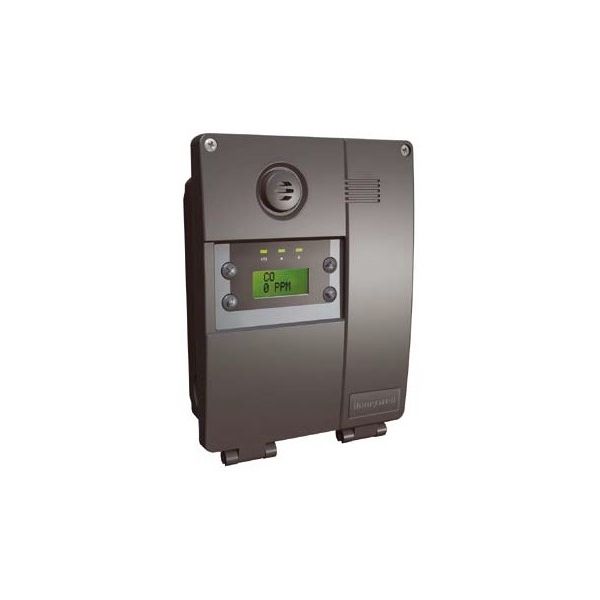
Honeywell Analytics E3SM Modbus Network Module 24 VAC/DC
Specifications
- Type: Network Module
- Voltage: 24VAC/DC
Loyalty ProgramThe E3SM serves as the pivotal component within the comprehensive E3Point series by Honeywell Analytics, transcending the role of a mere gas detector. Functioning as a centralized control hub, it seamlessly collaborates with diverse E3Point sensor cartridges to identify an extensive array of toxic and combustible gases. Its multifaceted capabilities include serving as a Gas Detection Hub, facilitating the connection and powering of E3Point sensor cartridges while efficiently processing data on gas concentrations. Acting as a Data Interpreter, it converts sensor data into actionable insights, presenting readings on a clear LCD screen, and relaying outputs to alarm systems. Furthermore, the E3SM Honeywell Analytics module operates as a Control Center, proficiently configuring and managing connected sensors, establishing alarm thresholds, and implementing safety protocols in the event of gas leaks.
Key features:
Recognizing potential issues with the Honeywell Analytics E3SM gas detector hub is crucial for maintaining safety in various environments. Here are some signs that could indicate a fault:
Performance Issues:
Display and Output Issues:
Sensor Cartridge Issues:
Additional Considerations:
Same Day Shipping
Best Quality And Best Price
Wide Range of Inventory
Best Customer Service
What gases can E3SM Honeywell Analytics module detect?
It's a flexible friend! With the right E3Point cartridge, it can detect everything from common threats like carbon monoxide and nitrogen dioxide to more specific gases like hydrogen sulfide and methane.
What to do if it's faulty?
Step 1: Disconnect power and isolate the system to secure electrical shock.
Step 2: Mount the module on the din rail or enclosure as specified.
Step 3: Connect modbus and power terminals, ensuring correct polarity and grounding.
Step 4: Set network address and communication parameters per controller requirements.
Step 5: Restore power and check LED status indicators.
Step 6: Test modbus communication with the host system and confirm stable data transmission.