Facebook Pixel

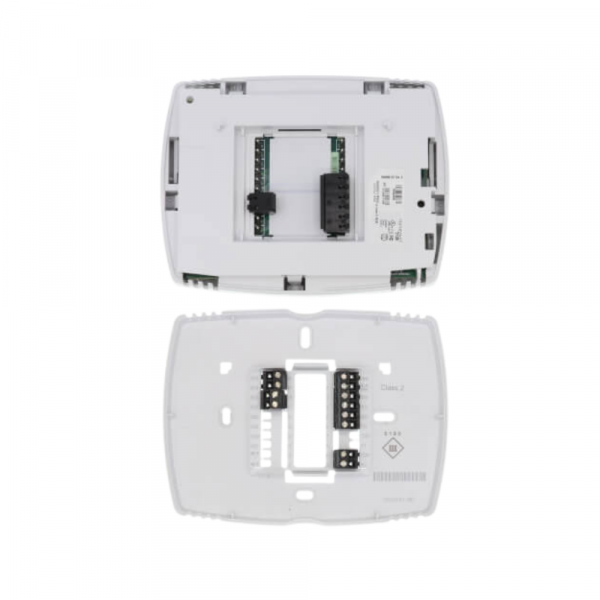
Honeywell TB3026B BACnet Fixed Function Thermostat

Special Price $412.01 Regular Price $457.33
In stock
SKU
TB3026B
The Honeywell TB3026B BACnet-Fixed operates Thermostat that is networked and is used to control HVAC systems such as the fan coil units rooftop units and heat pumps. It uses the BACnet protocol for communication with the other building management systems for proper integration. The design is easy to manage, while the complex features, such as scheduling and occupancy sensing. Designed for commercial HVAC systems, it allows for the monitoring and management of the climate from a distance and enhances the system’s performance.
https://www.partshnc.com/media/catalog/product/t/b/tb3026b_honeywell_partshnc.jpg
Manufacturer Name: Honeywell
Product Number: TB3026B
OEM Part Number: TB3026B
Product Description: Bacnet Thermostat
Weight:0.93lbs/421.84g

Choose the best HVAC equipment parts and supplies from PartsHnC!

  • Same Day Shipping

  • Best Quality And Best Price

  • Wide Range of Inventory

  • Best Customer Service

Have More Questions or Need Help to Place The Order?
Reach us at (866)773-0907 or [email protected]

Write Your Own Review
You're reviewing:Honeywell TB3026B BACnet Fixed Function Thermostat
Your Rating
Customer Questions
What maintenance is required for the Honeywell TB3026B Thermostat?

Clean the display and housing regularly to prevent dust affecting sensors and controls. Verify BACnet communication settings and inspect wiring connections for looseness or corrosion. Periodically recalibrate temperature sensing for accuracy. Ensure safe power isolation before servicing.

What are common issues with the Honeywell TB3026B Thermostat?

  • BACnet communication failures or network dropouts.
  • Inaccurate temperature readings due to sensor drift.
  • Unresponsive interface or display glitches.
  • Wiring faults causing intermittent operation.
  • Configuration errors in building automation system.
  • Power supply instability affecting performance.

Installation Steps

Step 1: Turn off HVAC power at breaker and check no voltage for safety.

Step 2: Remove old thermostat and label wires.

Step 3: Mount sub-base level on wall and secure firmly.

Step 4: Connect BACnet and power wiring per wiring diagram.

Step 5: Configure BACnet address and network settings.

Step 6: Restore power and test communication and temperature control.

Step 7: Ensure safety compliance with BACnet system commissioning before full operation