
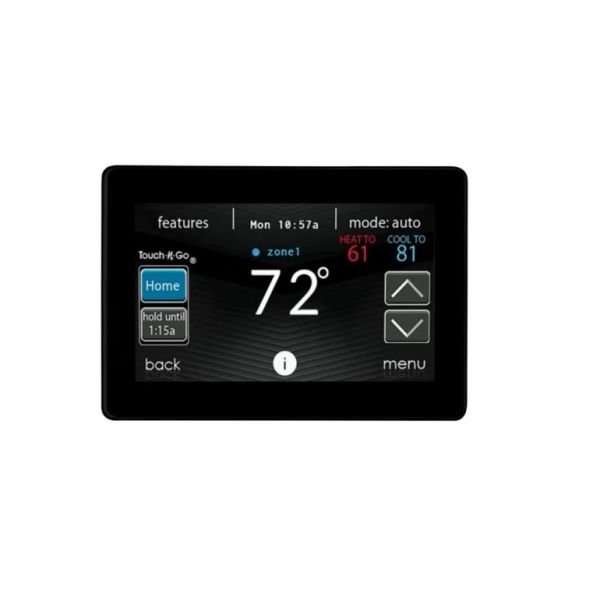
Carrier SYSTXBBECC01-C Evolution Connex Control
Specifications
- Type: Evolution Connex Control
Loyalty ProgramProduct Overview:
Manages indoor comfort settings in compatible Carrier Evolution HVAC systems, the Carrier SYSTXBBECC01-C Evolution Connex Control is a genuine OEM system control interface. It provides centralized access to temperature preferences and equipment operating settings.
Control Interface:
The digital interface allows temperature selections and operating preferences to be entered through the control panel. These selections provide the input for managing the connected system according to the chosen settings.
System Coordination:
The Evolution Connex Control communicates operating demands to compatible HVAC equipment through the connected control network. This allows the system to coordinate equipment responses according to the selected operating requirements.
Replacement Guidelines:
The Carrier SYSTXBBECC01-C Evolution Connex Control may require replacement when its interface no longer accepts operating selections or communication with connected equipment becomes inconsistent. Display failure or persistent interruption of control functions can also indicate the need for replacement.
Common Failure Symptoms:
Equipment Compatibility:
The Carrier SYSTXBBECC01-C Evolution Connex Control is a genuine OEM Carrier control intended for compatible Evolution HVAC systems. Its application depends on the installed equipment series and communication configuration. Verify the complete equipment model and original parts listing against Carrier documentation before selecting this control.
Technical Specifications:
Brand: Carrier
Part Number: SYSTXBBECC01-C
Product Type: Evolution Connex Control
System Series: Evolution
Step 1: Turn off power to the HVAC system to prevent electric shock.
Step 2: Open the control panel and remove the existing control module carefully.
Step 3: Mount the new Evolution Connex Control securely in the same location.
Step 4: Reconnect all wiring according to the manufacturer’s diagram, ensuring proper communication connections.
Step 5: Close the control panel and restore power.
Step 6: Test the system to verify that the control communicates correctly and operates all functions.