Facebook Pixel

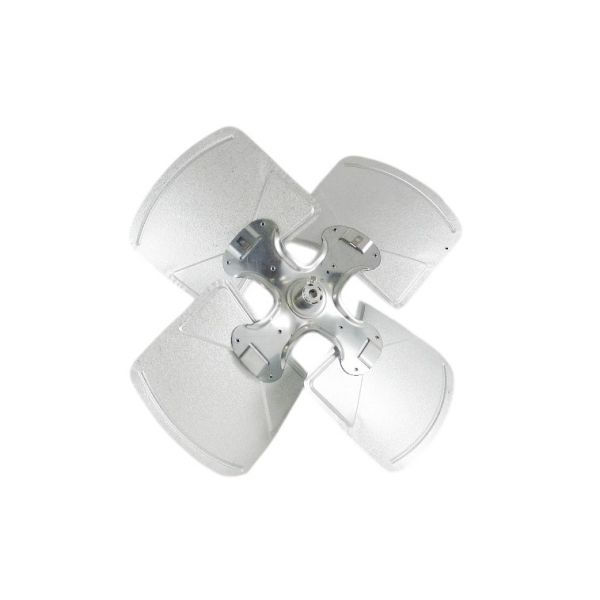
Amana-Goodman 0150G00001S 22" 4-Blade Condenser Fan

Special Price $89.26 Regular Price $102.65
Out of stock
SKU
0150G00001S
The Amana-Goodman 0150G00001S Condenser Fan Blade part of your HVAC systems condenser. This 22" blade is to effectively move air across the condenser coils which is an component of refrigeration cycle. It can be known when refrigerant passes around the condenser the heat is released. Air is then sucked by the condenser fan motor with of this fan blade passing across these coils in order to enhance a heat transfer. This cooling of the refrigerant is important in the proper working of your air conditioner so as to regulate temperatures inside your house or building. The fan blade is to be only with specific Goodman and Amana condenser units.
Manufacturer:

https://www.partshnc.com/media/catalog/product/0/1/0150g00001s_1.jpg

Specifications

  • Type: Condenser Fan Blade Size: 22"
    Manufacturer Name: Amana-Goodman
    Product Number: 0150G00001S
    OEM Part Number: 0150G00001S
    Product Description: Fan Blade
    Weight:5.91lbs/2680.73g

    Choose the best HVAC equipment parts and supplies from PartsHnC!

    • Same Day Shipping

    • Best Quality And Best Price

    • Wide Range of Inventory

    • Best Customer Service

    Have More Questions or Need Help to Place The Order?
    Reach us at (866)773-0907 or [email protected]

    Write Your Own Review
    You're reviewing:Amana-Goodman 0150G00001S 22" 4-Blade Condenser Fan
    Your Rating
    Customer Questions
    What maintenance is required for the Amana-Goodman 0150G00001S Condenser Fan?

    Regularly inspect condenser fan blades for dust, dirt, and damage, ensuring airflow efficiency. Tighten mounting hardware and check blade balance to prevent vibration and motor strain. Lubricate or inspect motor bearings and ensure electrical connections are secure before operation.

    What are common issues with the Amana-Goodman 0150G00001S Condenser Fan?

    • Blade imbalance causing vibration and noise.
    • Motor overheating or capacitor failure.
    • Reduced airflow due to dirt buildup.
    • Bent or cracked fan blades.
    • Electrical connection faults or intermittent operation.
    • Bearing damage causes noise and drag.

    Installation Steps

    Step 1: Turn off power supply and confirm unit is completely inactive before opening top panel.

    Step 2: Remove fan grille assembly and loosen set screw holding old blade on motor shaft.

    Step 3: Carefully pull out old fan blade and clean shaft surface before placing new blade.

    Step 4: Position new fan blade at correct height and tighten set screw securely.

    Step 5: Reinstall grille assembly and ensure blade spins freely without obstruction.

    Step 6: Restore power and check airflow direction and smooth rotation.