Facebook Pixel

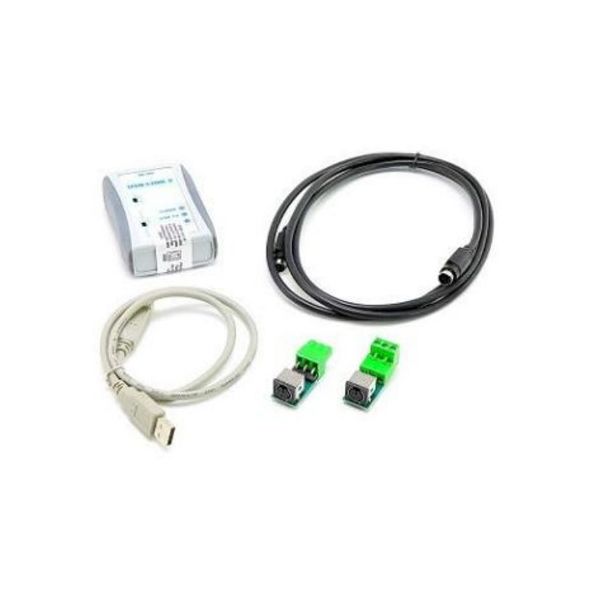
Aaon ASM02244 USB Link OE366

Special Price $512.13 Regular Price $568.47
In stock
SKU
ASM02244

The Aaon ASM02244 OE366 USB Link is a critical tool in HVAC systems for efficient communication and programming tasks. This USB link, designed to interface with Aaon equipment, allows technicians to connect directly to the HVAC system's control panel, making data exchange and configuration adjustments easier. Using the OE366 USB Link, technicians can easily upload firmware updates, adjust system settings, and retrieve diagnostic information via a computer interface. This simplifies the maintenance and troubleshooting processes, lowering downtime and increasing system reliability. The ASM02244 USB Link is compatible with a wide range of Aaon HVAC equipment, including air handling units and rooftop units. It ensures seamless integration and optimal performance.

Manufacturer:
https://www.partshnc.com/media/catalog/product/a/s/asm02244_aaon_partshnc.jpg
Manufacturer Name: Aaon
Product Number: ASM02244
OEM Part Number: ASM02244
Product Description: Oe366 Usb Link
Weight:0.9lbs/408.23g

Choose the best HVAC equipment parts and supplies from PartsHnC!

  • Same Day Shipping

  • Best Quality And Best Price

  • Wide Range of Inventory

  • Best Customer Service

Have More Questions or Need Help to Place The Order?
Reach us at (866)773-0907 or [email protected]

Write Your Own Review
You're reviewing:Aaon ASM02244 USB Link OE366
Your Rating
Customer Questions
What maintenance is required for the Aaon ASM02244 USB Link?

Regularly inspect the USB link and connectors for dust, corrosion, or loose fittings. Keep the port clean and ensure secure connections for stable communication. Periodically check for firmware updates to maintain compatibility and accurate system performance.

What are common issues with the Aaon ASM02244 USB Link?

  • Intermittent USB communication loss between controller and system.
  • Device not recognized due to driver or firmware mismatch.
  • Corrupted data transfer causing configuration errors.
  • Loose or damaged USB connection leading to signal interruptions.

Installation Steps

Step 1: Power off controller and disconnect mains supply to ensure safety.

Step 2: Open control panel enclosure carefully using proper tools.

Step 3: Locate the communication port inside unit.

Step 4: Plug USB Link firmly into the port until secure.

Step 5: Route and secure cable away from heat sources and sharp edges.

Step 6: Restore power and verify component detection on controller display.