
Facebook Pixel

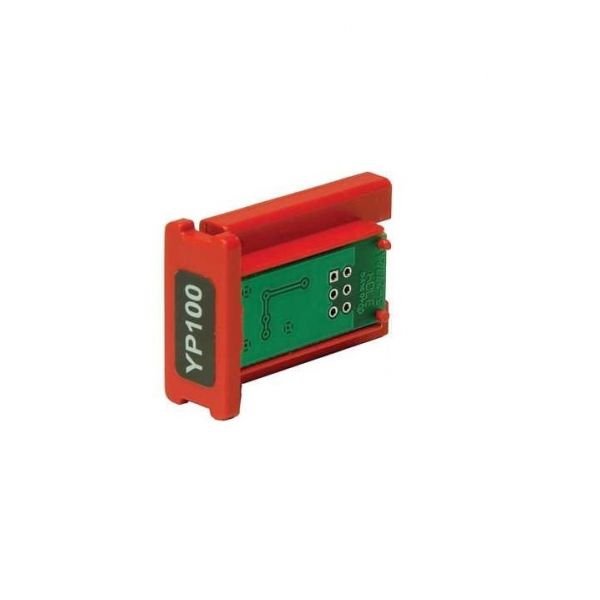
Fireye YP138 Programmer Module

Special Price $1,115.44 Regular Price $1,238.14
In stock
SKU
YP138

The Fireye YP138 Program Module is a microprocessor-based device that improves the function and safety of industrial burner systems. This serves as the system's brain, regulating different burner operations according to pre-programmed logic. Through flame safeguard controls, the module keeps the presence of flames and assures safe operation by turning off the burner in the event of any irregularities, such as flame loss. This can also be configured to perform a variety of functions, such as burner modulation, sequencing, and recycling, which optimizes the combustion process for economy and fuel efficiency. The YP138 is widely used in industrial applications such as boilers, furnaces, and ovens and is compatible with many Fireye BurnerLogix control systems. Its its main advantages are enhanced safety via dependable flame monitoring and optimal burner performance.

https://www.partshnc.com/media/catalog/product/y/p/yp138.jpg
Manufacturer Name: Fireye
Product Number: YP138
OEM Part Number: YP138
Product Description: Program Module
Weight:0.36lbs/163.29g

Choose the best HVAC equipment parts and supplies from PartsHnC!

  • Same Day Shipping

  • Best Quality And Best Price

  • Wide Range of Inventory

  • Best Customer Service

Have More Questions or Need Help to Place The Order?
Reach us at (866)773-0907 or [email protected]

Write Your Own Review
You're reviewing:Fireye YP138 Programmer Module
Your Rating
Customer Questions
What maintenance is required for the Fireye YP138 Programmer Module?

Regularly inspect wiring connections and terminal tightness to ensure accurate operation. Keep the module clean and free of dust or moisture to prevent electrical faults. Periodically verify configuration settings per manufacturer guidelines. Always isolate power before servicing for safety.

What are common issues with the Fireye YP138 Programmer Module?

  • Wiring connection loosening causing intermittent faults.
  • Configuration or programming errors leading to incorrect sequencing.
  • Power supply instability causing resets or lockouts.
  • Component overheating or failure due to conditions.
  • Firmware corruption causing startup failure.

Installation Steps

Step 1: Turn off power and fuel supply; check zero voltage at control panel safely.

Step 2: Remove old module, label wiring clearly for reference.

Step 3: Insert new module slot securely until fully seated.

Step 4: Reconnect wiring per schematic, ensure proper grounding and tight connections.

Step 5: Restore power, perform safety interlock and flame program test sequence thoroughly.

Step 6: Confirm correct sequencing and lockout functions operate correctly before commissioning.