Facebook Pixel

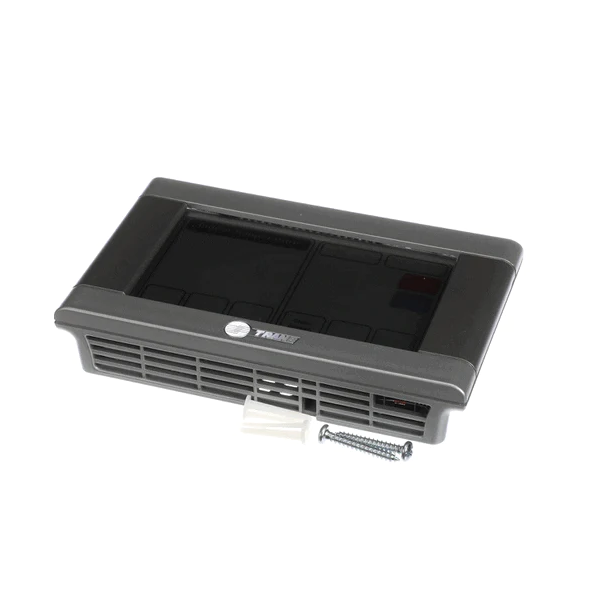
Trane TZONE940AC52ZA Communicating Zone Sensor W/LCD Display

Special Price $304.44 Regular Price $446.95
Out of stock
SKU
TZONE940AC52ZA
The Trane TZONE940AC52ZA Communicating Zone Sensor with LCD Display is a communicating zone sensor which is used on the wall, in HVAC systems to provide zoned comfort. Zoning results in a centralized control over the different areas within a building and may lead to better control of comfort and need for energy within the building. This sensor has a digital display of the current room temperature and the most probably updates a compatible Trane thermostat or HVAC control system of this information. This communication makes it possible for the system to regulate heating or cooling depending on the temperature required in the zone of placement of the sensor.
https://www.partshnc.com/media/catalog/product/t/z/tzone940ac52za_trane_partshnc.jpg

Specifications

  • Application: Zoning
  • Type: Zoning Communicating
  • Voltage: 24V
  • Colour: Gray
  • Weight: 0.7lbs
Manufacturer Name: Trane
Product Number: TZONE940AC52ZA
OEM Part Number: TZONE940AC52ZA
Product Description: Sensor
Weight:0.7lbs/317.51g

Choose the best HVAC equipment parts and supplies from PartsHnC!

  • Same Day Shipping

  • Best Quality And Best Price

  • Wide Range of Inventory

  • Best Customer Service

Have More Questions or Need Help to Place The Order?
Reach us at (866)773-0907 or [email protected]

Write Your Own Review
You're reviewing:Trane TZONE940AC52ZA Communicating Zone Sensor W/LCD Display
Your Rating
Customer Questions
What maintenance is required for the Trane TZONE940AC52ZA Zone Sensor?

Keep the sensor and LCD display free from dust and fingerprints to maintain readability. Verify wiring connections and system communication periodically. Check calibration if readings appear inconsistent. Avoid exposure to moisture and handle carefully during inspection or adjustments.

What are common issues with the Trane TZONE940AC52ZA Zone Sensor?

  • Inaccurate or delayed temperature readings.
  • LCD display flickering or unresponsive.
  • Communication errors with the system.
  • Intermittent connectivity or signal loss.

Installation Steps

Step 1: Turn off HVAC system power at breaker to avoid electrical shock or equipment damage.

Step 2: Mount sensor on interior wall away from vents/sunlight at eye level for accurate readings.

Step 3: Run low-voltage wiring to HVAC control board per wiring diagram and local code.

Step 4: Connect terminals securely matching labels; double-check polarity before tightening.

Step 5: Restore power and configure sensor settings via LCD interface menu.