Facebook Pixel

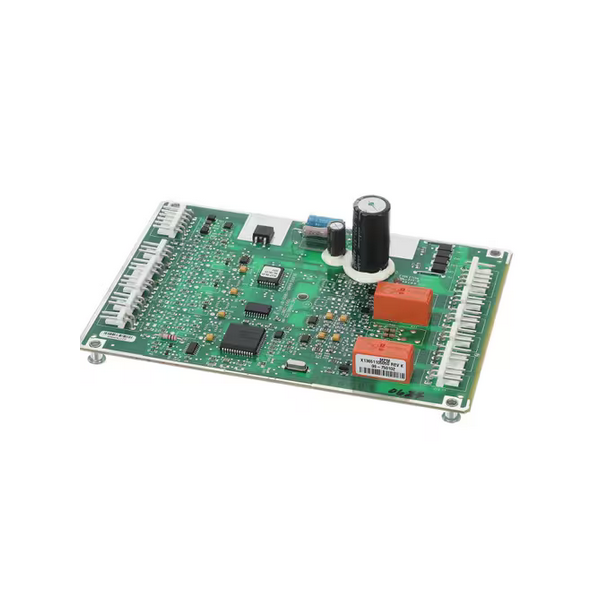
Trane MOD02105 IPAK Multi-Purpose Module

Special Price $512.15 Regular Price $743.95
In stock
SKU
MOD02105
The Trane MOD02105 IPAK Multi-Purpose Module operates as an electronic expansion system for compatible control systems and provides additional capabilities for equipment monitoring and operation management. It assists with processing signals between connected components, and is used to coordinate various control operations within the system. This module is commonly used in HVAC systems, including commercial air handling equipment and motor-operated applications that require flexible control options. Installed within the electrical control section, it supports communication between appliances and contributes to efficient appliance performance by assisting to maintain accurate system responses and operational adjustments.
https://www.partshnc.com/media/catalog/product/s/c/screenshot_2025-07-11_133522.png
Write Your Own Review
You're reviewing:Trane MOD02105 IPAK Multi-Purpose Module
Your Rating
Customer Questions
What maintenance is required for the Trane MOD02105 Multi-Purpose Module?

Regularly inspect connections and wiring for corrosion or loose contacts. Keep the module clean and free of dust to ensure optimal performance. Verify firmware and settings periodically, and follow safety precautions when handling electrical components.

What are common issues with the Trane MOD02105 Multi-Purpose Module?

  • Intermittent connectivity or signal loss.
  • Incorrect or inconsistent output readings.
  • Firmware or configuration errors.
  • Overheating due to poor ventilation.

Installation Steps

Step 1: Power off the HVAC system before installation to ensure safety.

Step 2: Mount the module securely in the designated control panel area using screws.

Step 3: Connect the wiring harness to the corresponding terminals according to the wiring diagram.

Step 4: Ensure all connections are tight and insulated to prevent short circuits.

Step 5: Restore power and verify the module powers up and communicates correctly.

Step 6: Test the system to confirm proper operation before closing the panel.