Facebook Pixel

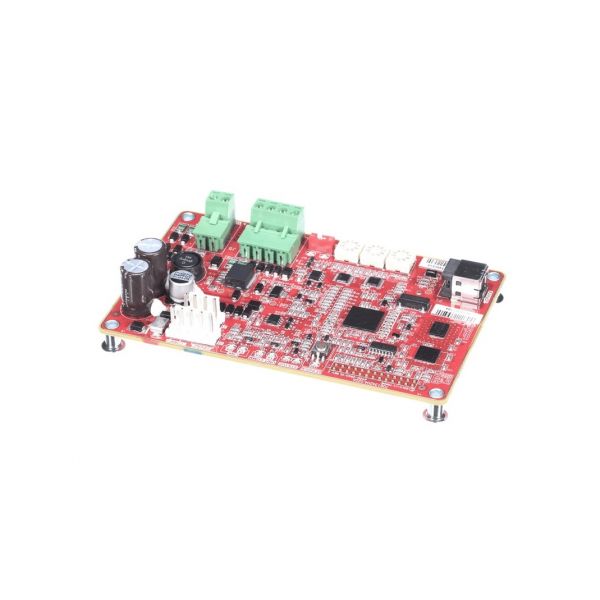
Trane MOD02046 Communication Interface Module BCI-R W/Reliatel Systems

Special Price $393.47 Regular Price $571.95
In stock
SKU
MOD02046
The Trane MOD02046 Communication Interface Module is a control interface that is applied in the building automation and climate control systems of HVAC systems to connect equipment controllers and networked control platforms. The module is mounted in the control enclosure of the equipment or in the building management panel and is a multi-port communication interface that can support Reliatel protocols and BCI-R networking standards enabling signals to be passed between system controllers, sensors, and operator stations. This interface is used to exchange data like operating status, setpoints and system diagnostics over the network. The communication channels provide coordinated control measures, centralized monitoring, and combination of various elements.
https://www.partshnc.com/media/catalog/product/m/o/mod02046.jpg
Write Your Own Review
You're reviewing:Trane MOD02046 Communication Interface Module BCI-R W/Reliatel Systems
Your Rating
Customer Questions
What maintenance is required for the Trane MOD02046 Communication Interface Module?

Regularly inspect the module for dust, corrosion, or loose connections. Ensure all cables are securely attached and free from damage. Proper maintenance ensures accurate communication between systems. Always power down the system before servicing the module.

What are common issues with the Trane MOD02046 Communication Interface Module?

  • Loss of communication with connected systems.
  • Intermittent data transfer errors.
  • Loose or damaged connectors.
  • Module failing to initialize properly.

Installation Steps

Step 1: Turn off all system power before beginning installation to avoid electrical shock.

Step 2: Mount the BCI-R module near the control system using screws or DIN rail as appropriate.

Step 3: Connect the module to the ReliaTel system using the provided communication cables.

Step 4: Ensure connectors are fully seated and locked to prevent signal loss.

Step 5: Verify that all wiring follows polarity and labeling guidelines.

Step 6: Restore system power and check communication status indicators for proper operation.