Facebook Pixel

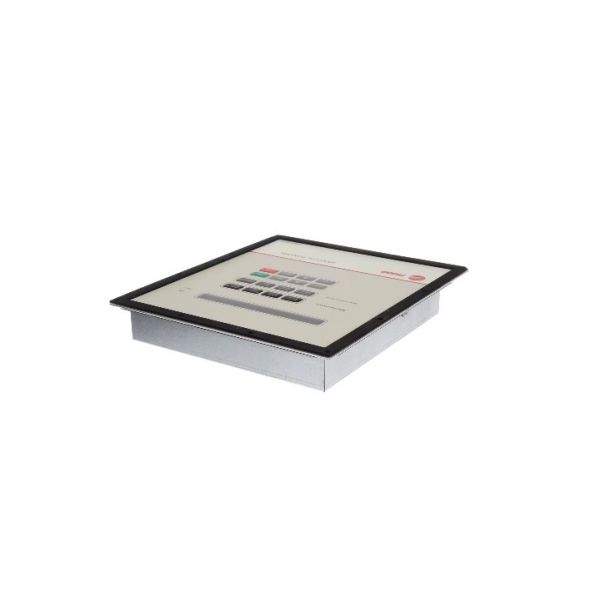
Trane MOD00942 Adaptive Control Module Clear Language Display Type-K

Special Price $2,687.19 Regular Price $3,969.95
In stock
SKU
MOD00942
The Trane MOD00942 Adaptive Control Module Clear Language Display Type-K is used to control and monitor the activities of the HVAC systems with a built-in user interface. This module accepts input data from sensor parts and gives clear status data and command outputs to fans, compressors, valves and other parts attached to them. It is applied in residential and commercial HVAC systems where interactive controls and elements are required to adjust setpoints and modes. It assists in coordinating operating sequences, assisting in parts and stabilising the performance under different conditions.
https://www.partshnc.com/media/catalog/product/m/o/mod00942.jpg
Write Your Own Review
You're reviewing:Trane MOD00942 Adaptive Control Module Clear Language Display Type-K
Your Rating
Customer Questions
What maintenance is required for the Trane MOD00942 Clear Language Display?

Regularly inspect wiring connections for looseness or corrosion and ensure the module remains free from dust and debris. Verify display functionality and responsiveness. Proper maintenance helps prevent system errors and ensures accurate HVAC operation. Always power down equipment before handling to avoid electrical hazards.

What are common issues with the Trane MOD00942 Clear Language Display?

  • Unresponsive or blank display screen.
  • Faulty communication with HVAC system components.
  • Intermittent control signal failures.
  • Error codes due to internal circuitry issues.
  • Power supply inconsistencies.

Installation Steps

Step 1: Turn off all power to the HVAC system at the main breaker.

Step 2: Remove the existing control module from its mounting location.

Step 3: Carefully disconnect all wiring, noting connections for reference.

Step 4: Mount the new module securely in the same location.

Step 5: Reconnect all wires following the wiring diagram provided by Trane.

Step 6: Restore power and verify the display powers on and system responds correctly.