Facebook Pixel

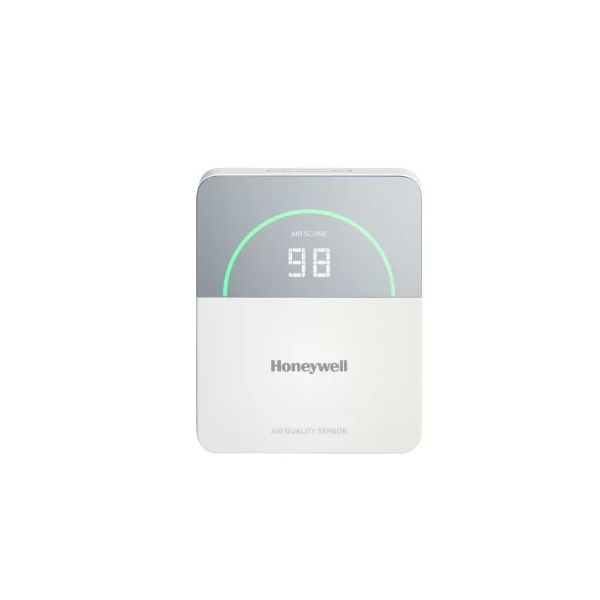
Honeywell TR50-5D Humidity Temperature Sensor CO2 Configuration

Special Price $628.85 Regular Price $698.02
In stock
SKU
TR50-5D
The Honeywell TR50-5D Humidity Temperature Sensor with CO2 Configuration is a multi-function environmental monitoring equipment to provide better indoor air quality. This combines the humidity, temperature, and CO2 sensors in a single compact package and displays the data on these essential parameters in real-time. It works by constantly assessing and reporting to a building automation system or any other compatible unit or instrument. The TR50-5D is especially suitable for different types of HVAC equipment such as air handling units, rooftop units, and fan coil units. This sensor helps HVAC systems control indoor environmental conditions effectively, reduce energy wastage, and provide a comfortable environment to the occupants.
https://www.partshnc.com/media/catalog/product/t/r/tr50-5d_honeywell_partshnc.jpg

Specifications

  • Type: Humidity Temperature Sensor
  • Configuration Type: CO2
Manufacturer Name: Honeywell
Product Number: TR50-5D
OEM Part Number: TR50-5D
Product Description: Temphumidco2 Iaqsensor Config.
Weight:0.53lbs/240.4g

Choose the best HVAC equipment parts and supplies from PartsHnC!

  • Same Day Shipping

  • Best Quality And Best Price

  • Wide Range of Inventory

  • Best Customer Service

Have More Questions or Need Help to Place The Order?
Reach us at (866)773-0907 or [email protected]

Write Your Own Review
You're reviewing:Honeywell TR50-5D Humidity Temperature Sensor CO2 Configuration
Your Rating
Customer Questions
What maintenance is required for the Honeywell TR50-5D Humidity Temperature Sensor?

Regularly clean the sensor to prevent dust buildup, which can affect accuracy. Check calibration periodically to ensure accurate readings. Inspect wiring connections for corrosion or looseness. Avoid exposure to excessive moisture or chemicals during maintenance.

What are common issues with the Honeywell TR50-5D Humidity Temperature Sensor?

  • Inaccurate temperature or humidity readings.
  • Sensor drift or calibration errors.
  • Connection or wiring failures.
  • Intermittent or no CO2 detection.

Installation Steps

Step 1: Turn off power to the HVAC/control system before starting.

Step 2: If replacing an old unit, remove it carefully and label/disconnect wires.

Step 3: Choose a wall spot away from sunlight, vents, or humidity.

Step 4: Mount the base plate securely with screws.

Step 5: Connect wires to the correct terminals per the diagram.

Step 6: Attach the new sensor to the base, then restore power.

Step 7: Configure settings and test readings for proper operation.