Facebook Pixel

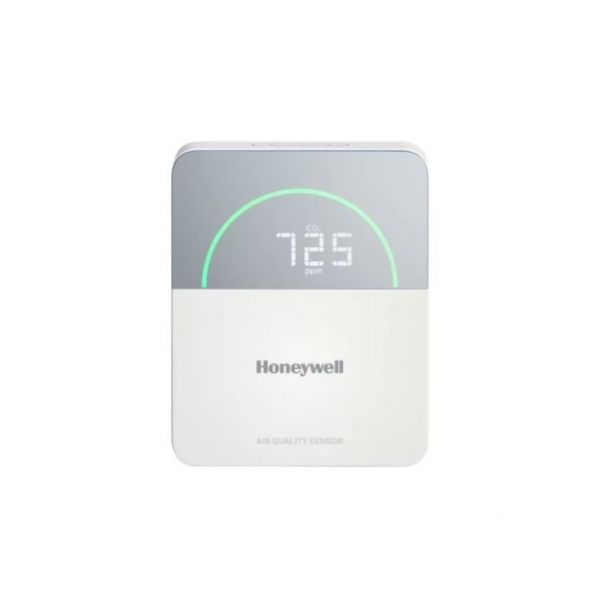
Honeywell TR50-3D CO2 Temperature Humidity Multi-Sensor W/Sylk Display

Special Price $284.41 Regular Price $315.69
In stock
SKU
TR50-3D
The Honeywell TR50-3D Temperature/Humidity Multi-sensor Co2 Sylkw/Display is a Temperature/Humidity Multi-sensor that gives essential information about the quality of the air inside the building. This part is useful in determining the temperature, humidity and CO2 level so as to ensure that building comfort and energy are well regulated. Some of the advantages include enhanced occupant comfort, energy savings, better indoor air quality, and the ability to identify problems before they occur. Applicable in offices, schools, hospitals, data centers, and retail stores, this can be easily interfaced with HVAC systems, building automation systems, and energy management systems to improve building automation and control.
https://www.partshnc.com/media/catalog/product/t/r/tr50-3d.jpg

Specifications

  • Type: Temperature/Humidity Multi-sensor
    Manufacturer Name: Honeywell
    Product Number: TR50-3D
    OEM Part Number: TR50-3D
    Product Description: Co2/Temp/Humidsensor,Sylkw/Dis
    Weight:0.47lbs/213.19g

    Choose the best HVAC equipment parts and supplies from PartsHnC!

    • Same Day Shipping

    • Best Quality And Best Price

    • Wide Range of Inventory

    • Best Customer Service

    Have More Questions or Need Help to Place The Order?
    Reach us at (866)773-0907 or [email protected]

    Write Your Own Review
    You're reviewing:Honeywell TR50-3D CO2 Temperature Humidity Multi-Sensor W/Sylk Display
    Your Rating
    Customer Questions
    No Questions

    Installation Steps

    Step 1: Turn off power to the HVAC or building management system for safety.

    Step 2: Select a suitable location for mounting, avoiding direct sunlight or drafts.

    Step 3: Mount the new securely using screws or wall anchors.

    Step 4: Connect Sylk communication wiring according to system schematic.

    Step 5: Verify proper sensor orientation for accurate readings.

    Step 6: Restore power and confirm the device communicates with the system and displays correctly.