Facebook Pixel

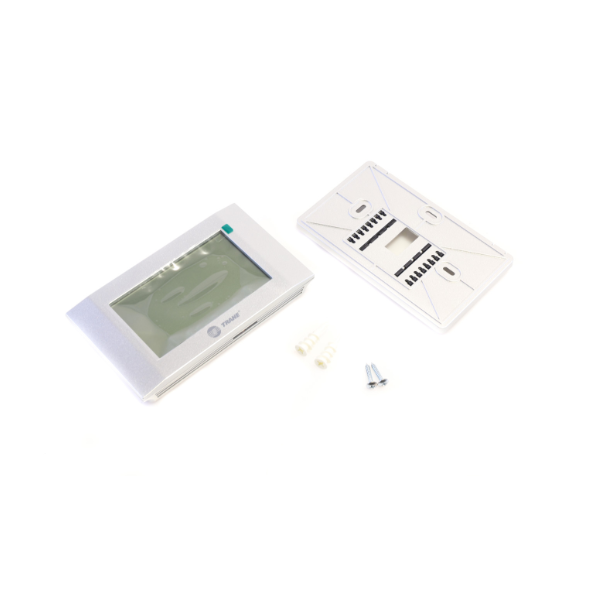
Trane TCONT724AS42DA Touchscreen Programmable Thermostat XL724

Special Price $274.84 Regular Price $305.07
In stock
SKU
TCONT724AS42DA
The Trane TCONT724AS42DA Touchscreen Programmable Thermostat XL724 is a temperature controller component that will control heating and cooling operation by checking the conditions and transmitting the signal to the attached HVAC systems. It operates by use of an electronic thermostat interface that has a touchscreen display and programmable control features enabling the thermostat to program operation when used in furnace, heat pump, and air-conditioning HVAC systems. It is installed on the wall and has internal sensors that measure the temperature and has low-voltage wiring that links to the system control circuit.
Manufacturer:

https://www.partshnc.com/media/catalog/product/s/c/screenshot_2024-04-16_104047.png
Manufacturer Name: Trane
Product Number: TCONT724AS42DA
OEM Part Number: TCONT724AS42DA
Product Description: Xl724 Thermostat
Weight:0.99lbs/449.06g

Choose the best HVAC equipment parts and supplies from PartsHnC!

  • Same Day Shipping

  • Best Quality And Best Price

  • Wide Range of Inventory

  • Best Customer Service

Have More Questions or Need Help to Place The Order?
Reach us at (866)773-0907 or [email protected]

Write Your Own Review
You're reviewing:Trane TCONT724AS42DA Touchscreen Programmable Thermostat XL724
Your Rating
Customer Questions
What maintenance is required for the Trane TCONT724AS42DA Touchscreen Programmable Thermostat?

Keep touchscreen clean and dust-free for accurate response. Check wiring and backup battery periodically to prevent interruptions. Verify calibration and HVAC settings for consistent performance turn off power before servicing.

What are common issues with the Trane TCONT724AS42DA Touchscreen Programmable Thermostat?

  • Unresponsive touchscreen or input lag screen freezing delayed response.
  • Incorrect temperature readings or calibration drift inconsistent setpoint display short cycling indication.
  • Wiring issues or HVAC communication failures intermittent system control loss error code display.

Installation Steps

Step 1: Turn off HVAC power at breaker and verify no electricity for safety.

Step 2: Remove old thermostat, label each wire carefully, and take a note for reference.

Step 3: Mount base plate level on wall, then connect wires to matching terminals.

Step 4: Attach touchscreen unit and secure it firmly on base.

Step 5: Restore power, turn system on, and configure temperature and mode settings per manual.