Facebook Pixel

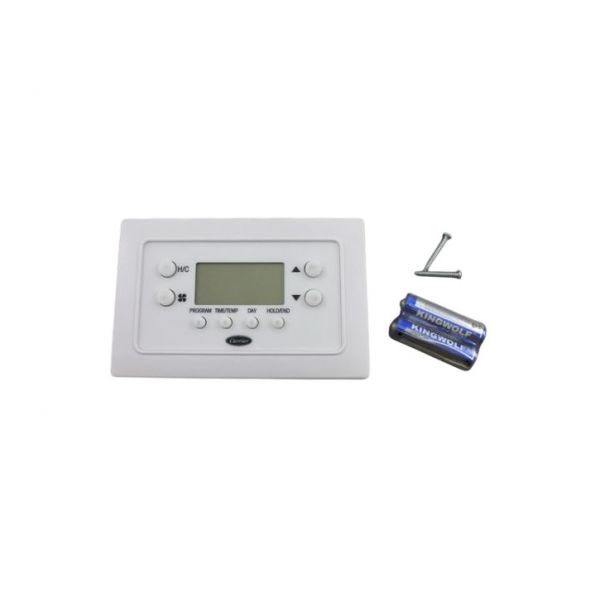
Carrier TBPAC 5-2 Day Programming Thermostat

Special Price $219.34 Regular Price $243.47
In stock
SKU
TBPAC
The Carrier TBPAC 5-2 Day Programming Thermostat is a digital thermostat specially developed for residential and light commercial HVAC systems. This model is available in 5-2 day programming, so you can program two different temperatures to increase comfort and efficiency of energy consumption. Designed to work with Carrier heating and cooling systems, the thermostat optimizes the temperature in the home. It has an easy to program interface and additional functions like temporary override and vacation settings. The TBPAC enhances the system performance and provides enhanced control, comfort and cost effectiveness.
https://www.partshnc.com/media/catalog/product/t/b/tbpac.jpg

Specifications

  • Weight:0.94lbs
    Manufacturer Name: Carrier
    Product Number: TBPAC
    OEM Part Number: TBPAC
    Product Description: 5-2Day Progthermostat
    Weight:0.46lbs/208.65g

    Choose the best HVAC equipment parts and supplies from PartsHNC!

    • Same Day Shipping

    • Best Quality And Best Price

    • Wide Range of Inventory

    • Best Customer Service

    Have More Questions or Need Help to Place The Order?
    Reach us at (866)773-0907 or [email protected]

    Write Your Own Review
    You're reviewing:Carrier TBPAC 5-2 Day Programming Thermostat
    Your Rating
    Customer Questions
    What maintenance is required for the Carrier TBPAC Programming Thermostat?

    Regularly clean the thermostat’s outer surface and vents to prevent dust buildup that can affect temperature sensing accuracy. Check and replace batteries periodically to avoid power interruptions. Verify wiring connections remain secure and inspect the display for proper operation. Ensure the device is mounted level for accurate readings.

    What are common issues with the Carrier TBPAC Programming Thermostat?

    • Inaccurate temperature readings due to sensor drift.
    • Display not turning on from battery failure.
    • Unresponsive buttons or keypad malfunction.
    • Program schedule not saving or resetting unexpectedly.

    Installation Steps

    Step 1: Turn off power to the HVAC system at the breaker.

    Step 2: Remove the old thermostat and label the existing wires.

    Step 3: Mount the TBPAC backplate on an interior wall above the floor.

    Step 4: Route and connect the wires to the correct terminals per the wiring diagram.

    Step 5: Attach the thermostat to the backplate and restore power.

    Step 6: Program the day schedule and verify heating, cooling, and fan operation.