Facebook Pixel

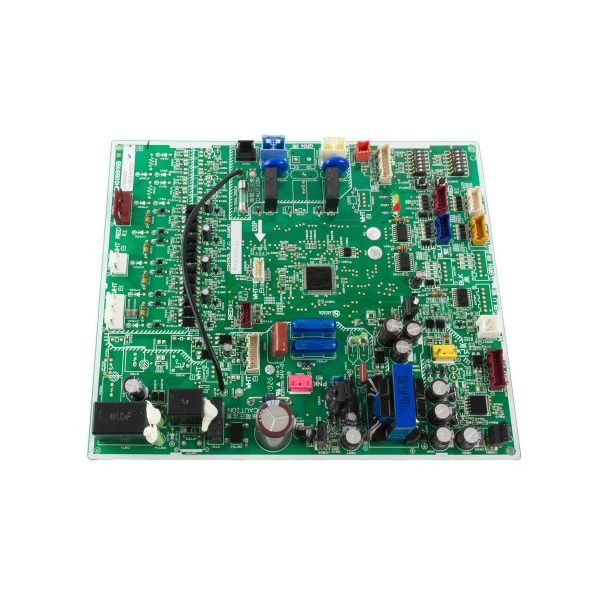
Mitsubishi Electric T7WM14315 Control Printed Circuit Board

Special Price $482.46 Regular Price $535.53
In stock
SKU
T7WM14315
The Mitsubishi Electric T7WM14315 Control Printed Circuit Board is a component that is used in HVAC systems to control and oversee many operations for the better efficiency. The roles of a Control PCB are to read the outputs of the sensors and the inputs from the users to regulate the operations of HVAC systems. It conserves costs of energy and maintains consistent indoor climate as it has control of factors such as temperature, fan and compressor operation. The PCB is mounted in Mitsubishi Electric HVAC devices, including air conditioners and heat pumps, to facilitate communication between different components.

https://www.partshnc.com/media/catalog/product/T/7/T7WM14315_MitsubishiElectric_PartsHNC.jpg

Specifications

  • Weight:1.08lbs
  • Material: FR4 fire-resistant fiberglass
  • Type: Control PCB
  • Length: 7-1/2"
  • Width: 8-3/4"
Manufacturer Name: Mitsubishi Electric
Product Number: T7WM14315
OEM Part Number: T7WM14315
Product Description: Pc Control Board
Weight:1.08lbs/489.88g

Choose the best HVAC equipment parts and supplies from PartsHnC!

  • Same Day Shipping

  • Best Quality And Best Price

  • Wide Range of Inventory

  • Best Customer Service

Have More Questions or Need Help to Place The Order?
Reach us at (866)773-0907 or [email protected]

Write Your Own Review
You're reviewing:Mitsubishi Electric T7WM14315 Control Printed Circuit Board
Your Rating
Customer Questions
What maintenance is required for the Mitsubishi Electric T7WM14315 Control Printed Circuit Board?

Regularly inspect the board for dust, corrosion, or loose connections, as these can cause malfunctions. Clean with compressed air or an anti-static brush, ensure proper ventilation, and check for firmware updates. Avoid moisture exposure and always disconnect power before handling.

What are common issues with the Mitsubishi Electric T7WM14315 Control Printed Circuit Board?

  • Failure to power on or intermittent operation.
  • Burnt or damaged components.
  • Signal processing errors causing system malfunctions.
  • Loose or corroded electrical connections.

Installation Steps

Step1: Ensure power to the unit is completely turned off.

Step2: Remove the access panel and locate the old PCB.

Step3: Disconnect all wiring carefully, noting terminal positions.

Step4: Unscrew and remove the old PCB from its mounting.

Step5: Install the new PCB in the same position and secure screws.

Step6: Reconnect all wires according to your notes or labels.

Step7: Replace the access panel, restore power, and test the system for proper operation.