Facebook Pixel

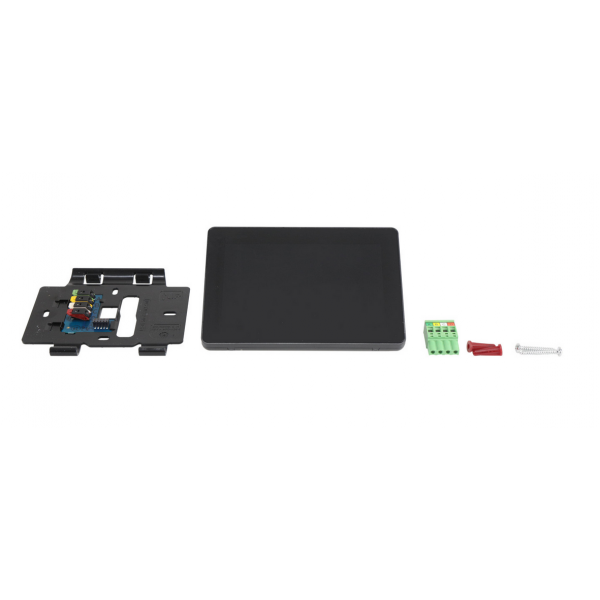
Carrier SYSTXCCITC01-C Infinity WiFi Touch Screen

Special Price $1,320.05 Regular Price $1,465.26
In stock
SKU
SYSTXCCITC01-C
The Carrier SYSTXCCITC01-C Infinity Wi-Fi Touch Screen is a thermostat that gives the user the ability to control and monitor HVAC systems. This smart part enables to control the temperature, program the comfort and monitor the consumption, all with your smartphone or tablet via the Home app. The Infinity WiFi Touch Screen functions by connecting to your compatible HVAC system including high-efficiency furnaces, air conditioners, and heat pumps. It uses Wi-Fi connectivity for remote access and control, which means you can control the comfort of your home from any location.
Manufacturer:

https://www.partshnc.com/media/catalog/product/s/c/screenshot_2025-05-02_102647.png

Specifications

  • Type: Infinity WiFi Touch Screen
    Write Your Own Review
    You're reviewing:Carrier SYSTXCCITC01-C Infinity WiFi Touch Screen
    Your Rating
    Customer Questions
    What maintenance is required for the Carrier SYSTXCCITC01-C Infinity WiFi Touch Screen?

    Regularly clean the touchscreen with a soft, lint-free cloth to remove dust and fingerprints. Ensure firmware is updated and connections are secure. Maintenance helps maintain responsive operation, and accurate temperature control.

    What are common issues with the Carrier SYSTXCCITC01-C Infinity WiFi Touch Screen?

    • Unresponsive or lagging touch input.
    • WiFi connectivity problems.
    • Display glitches or flickering.
    • Intermittent communication with HVAC system.

    Installation Steps

    Step 1: Turn off HVAC system power before installation.

    Step 2: Remove the wall plate or existing thermostat carefully.

    Step 3: Mount the touch screen backplate securely on the wall, ensuring level alignment.

    Step 4: Connect all wiring according to the included diagram, matching each wire to its terminal.

    Step 5: Snap the touch screen display onto the backplate.

    Step 6: Restore power and follow on-screen prompts to connect to WiFi and configure settings.