Facebook Pixel

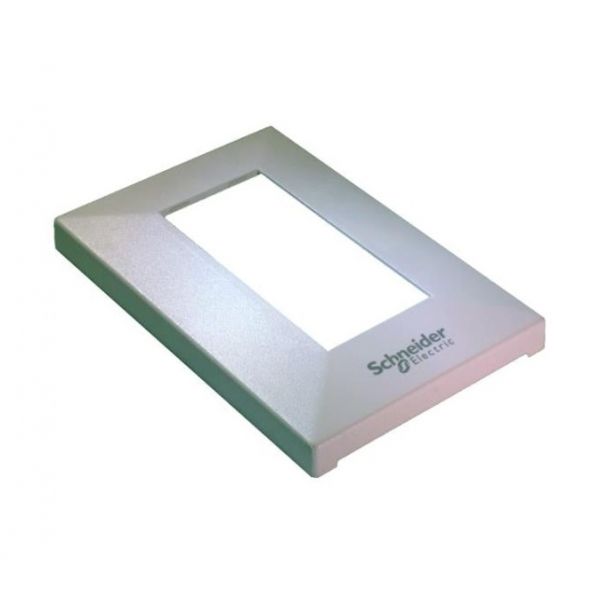
Schneider Electric (Barber Colman) DCQC-150-SE Micronet Sensor Cover

Special Price $15.98 Regular Price $20.77
Out of stock
SKU
DCQC-150-SE
The Schneider Electric (Barber Colman) DCQC-150-SE Micronet Sensor cover is a shield that covers sensing elements and related parts against exposure to the conditions, while still being able to detect the airflow or conditions in ductwork on HVAC systems. It is attached to sensors as part of installed monitoring assemblies, protecting the components of the assembly against dust and debris without causing significant air movement impediments. This cover facilitates the sustained sensor operation and data input maintenance in control systems that manage ventilation, temperature and air quality in air handlers and packaged units.
https://www.partshnc.com/media/catalog/product/d/c/dcqc-150-se.jpg
Manufacturer Name: Schneider Electric (Barber Colman)
Product Number: DCQC-150-SE
OEM Part Number: DCQC-150-SE
Product Description: Sensorcover-Schneidereleclogo
Weight:0.04lbs/18.14g

Choose the best HVAC equipment parts and supplies from PartsHnC!

  • Same Day Shipping

  • Best Quality And Best Price

  • Wide Range of Inventory

  • Best Customer Service

Have More Questions or Need Help to Place The Order?
Reach us at (866)773-0907 or [email protected]

Write Your Own Review
You're reviewing:Schneider Electric (Barber Colman) DCQC-150-SE Micronet Sensor Cover
Your Rating
Customer Questions
What maintenance is required for the Schneider Electric DCQC-150-SE Sensor Cover?

Inspect the sensor cover regularly for dust, cracks, or physical damage to ensure proper protection of the sensor. Clean the surface using a dry or slightly damp cloth to prevent debris buildup. Avoid harsh chemicals that may damage the material. Regular inspection helps maintain sensor accuracy.

What are common issues with the Schneider Electric DCQC-150-SE Sensor Cover?

  • Cover tabs breaking during installation or removal.
  • Loose fitting causing improper sensor protection.
  • Surface wear or fading of logo over time.
  • Dust accumulation affecting sensor enclosure fit.

Installation Steps

Step 1: Power off control system and confirm zero voltage for safety.

Step 2: Remove existing sensor cover carefully without disturbing internal wiring connections.

Step 3: Align new cover over sensor housing and ensure proper fit and orientation.

Step 4: Secure using original fasteners or clips firmly to maintain stable mounting.

Step 5: Restore power and verify sensor protection and stable operation.