Facebook Pixel

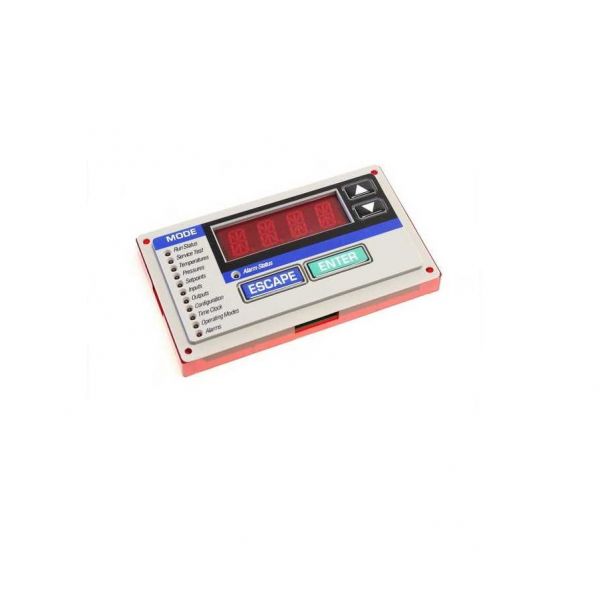
Carrier HK50AA063 Scrolling Marquee Display

Special Price $1,308.38 Regular Price $1,666.59
In stock
SKU
HK50AA063
The Carrier HK50AA063 Scrolling Marquee Display delivers real-time system status information together with equipment diagnostics for HVAC systems. This functions with control systems to show clear information about system alert alongside performance data and troubleshooting message through scrolling display format. This display system enhances operational maintenance speed and cuts operational downtime while enabling precise HVAC systems monitoring functions. This features an intuitive design alongside sturdy materials which establish it a dependable instrument for system optimization.
https://www.partshnc.com/media/catalog/product/h/k/hk50aa063.jpg
Manufacturer Name: Carrier
Product Number: HK50AA063
OEM Part Number: HK50AA063
Product Description: Scrolling Marquee Display
Weight:0.91lbs/412.77g

Choose the best HVAC equipment parts and supplies from PartsHnC!

  • Same Day Shipping

  • Best Quality And Best Price

  • Wide Range of Inventory

  • Best Customer Service

Have More Questions or Need Help to Place The Order?
Reach us at (866)773-0907 or [email protected]

Write Your Own Review
You're reviewing:Carrier HK50AA063 Scrolling Marquee Display
Your Rating
Customer Questions
What maintenance is required for the Carrier HK50AA063 Scrolling Marquee Display?

Regularly clean the display surface and ventilation areas to prevent dust buildup. Check electrical connections and mounting for stability. Proper maintenance ensures clear visibility and accurate operation. Always disconnect power before cleaning or inspection for safety.

What are common issues with the Carrier HK50AA063 Scrolling Marquee Display?

  • Flickering or dim LEDs.
  • Display freezing or scrolling inconsistently.
  • Loose or corroded electrical connections.
  • Incorrect or missing messages.

Installation Steps

Step1: Turn off power to the system before installation.

Step2: Remove any existing display or cover from the mounting area.

Step3: Connect the display’s wiring according to the manufacturer’s diagram.

Step4: Secure the display in place using the provided brackets or screws.

Step5: Restore power and verify the display powers on correctly.