
Facebook Pixel

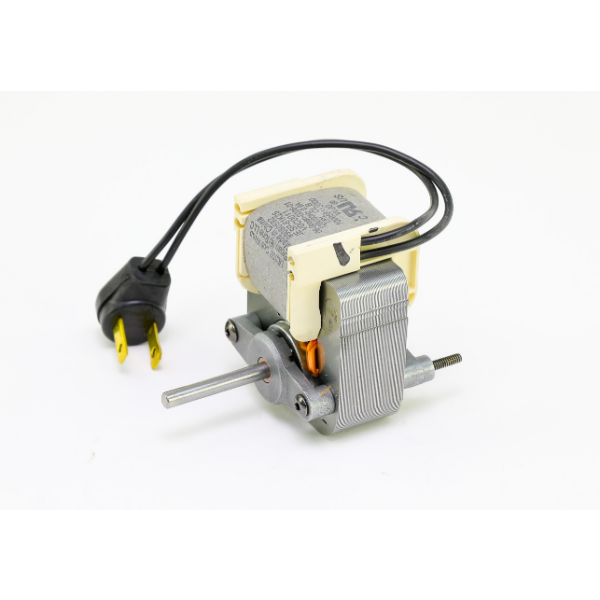
Broan-NuTone S99080592 Vent Fan Motor 120V

Special Price $69.33 Regular Price $79.72
In stock
SKU
S99080592
The Broan-NuTone S99080592 Vent Fan Motor operates as a 120V motor built to serve ventilation needs in HVAC systems. This motor takes electrical power to create mechanical motion that powers fan blades to effectively distribute air. This operates as a standard motor in different exhaust fan types to extract indoor air contaminants from bathroom and kitchen ventilation systems. The motor demonstrates high efficiency in maintaining indoor air quality through its airflow promotion which stops mold growth and creates better comfort conditions. The motor operates continuously because it was created to work in areas needing uninterrupted ventilation.
https://www.partshnc.com/media/catalog/product/s/9/s99080592_broan-nutone_partshnc.png

Specifications

  • Type: Vent Fan Motor
  • Voltage: 120V
Manufacturer Name: BROAN-NuTone
Product Number: S99080592
OEM Part Number: S99080592
Product Description: 120V Motor
Weight:1.94lbs/879.97g

Choose the best HVAC equipment parts and supplies from PartsHnC!

  • Same Day Shipping

  • Best Quality And Best Price

  • Wide Range of Inventory

  • Best Customer Service

Have More Questions or Need Help to Place The Order?
Reach us at (866)773-0907 or [email protected]

Write Your Own Review
You're reviewing:Broan-NuTone S99080592 Vent Fan Motor 120V
Your Rating
Customer Questions
What maintenance is required for the Broan-NuTone S99080592 Vent Fan Motor?

Disconnect power and remove dust buildup from motor housing and fan blades to prevent overheating. Check and tighten electrical connections and inspect wiring for wear. Ensure bearings are lightly lubricated and the unit is securely mounted.

What are common issues with the Broan-NuTone S99080592 Vent Fan Motor?

  • Motor overheating due to dust buildup or restricted airflow.
  • Bearing wear causing noise or vibration.
  • Electrical connection failure or intermittent power.
  • Reduced airflow from fan imbalance or blade obstruction.
  • Motor hum without startup due to capacitor failure.

Installation Steps

Step 1: Turn off power at breaker and confirm no voltage present.

Step 2: Remove grille and disconnect motor plug and mounting screws.

Step 3: Take note of blade orientation before removing old fan assembly.

Step 4: Install new motor into housing and secure with original brackets.

Step 5: Reconnect wiring harness firmly to match original configuration.

Step 6: Reattach fan blade ensuring correct rotation and clearance.

Step 7: Restore power and test operation for smooth airflow and noise.

Step 8: Wear gloves and avoid contact with moving parts during testing.