Facebook Pixel

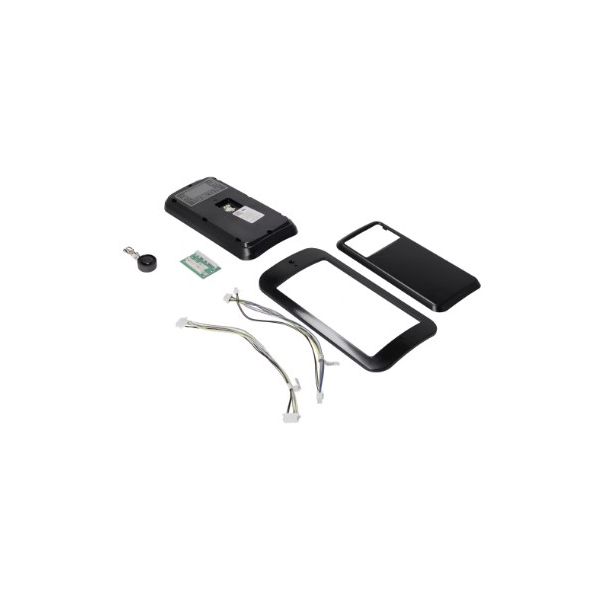
Rheem-Ruud SP21236B Display Control Adapter Kit G4-5

Special Price $387.39 Regular Price $430.01
In stock
SKU
SP21236B
The Rheem-Ruud SP21236B Display Control Adapter Kit G4-5 is used to interconnect and control communication between the display interface and internal control parts in HVAC systems. This control board is connected to the user interface, allowing system settings and operational data to be transferred correctly. It primarily acts in electronic monitoring, where adjustments are necessary. In the equipment structure, it is a component that assists in the control section that assist in the appropriate flow of signals and ensures the stable operation condition of residential and commercial use.
https://www.partshnc.com/media/catalog/product/s/p/sp21236b.jpg

Specifications

  • Type: Display Control Adapter Kit
  • Series: G4 And G5
Write Your Own Review
You're reviewing:Rheem-Ruud SP21236B Display Control Adapter Kit G4-5
Your Rating
Customer Questions
What maintenance is required for the Rheem-Ruud SP21236B Display Control Adapter Kit?

Regularly check the adapter kit for secure connections and any signs of wear or corrosion. Clean dust or debris from contacts to ensure proper signal transmission. Proper maintenance prevents display errors and ensures reliable operation of the heating or cooling system.

What are common issues with the Rheem-Ruud SP21236B Display Control Adapter Kit?

  • Intermittent or unresponsive display.
  • Loose or faulty electrical connections.
  • Incorrect readings or error codes on the thermostat.
  • Adapter failing to communicate with system components.

Installation Steps

Step 1: Turn off power to the water heater at the breaker to avoid shock.

Step 2: Remove the old control panel by disconnecting all wiring carefully.

Step 3: Attach the adapter kit to the display control, aligning connectors properly.

Step 4: Reconnect all wires to the corresponding terminals on the adapter.

Step 5: Secure the panel and adapter in place.

Step 6: Restore power and verify the display functions correctly.