

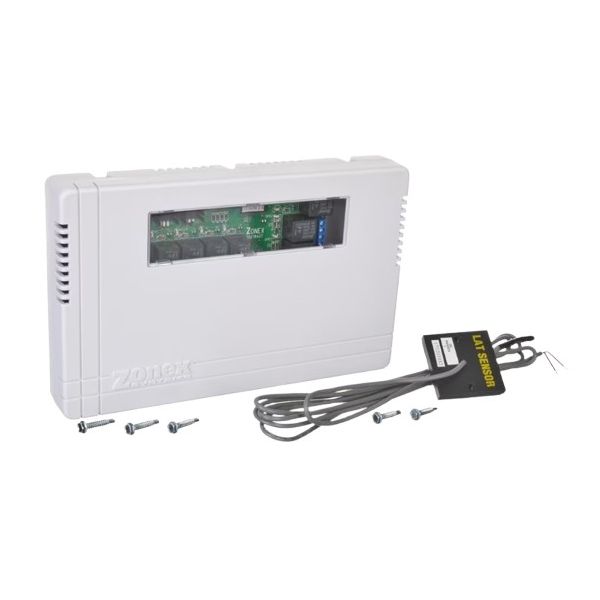
Rheem-Ruud DIGI3UEL Controller Digitract 3 W/LAT SNS
Special Price $174.79 Regular Price $201.01
In stock
SKU
DIGI3UEL

Manufacturer:
 Loyalty Program

Product Overview:
Temperature monitoring and control coordination in compatible Rheem-Ruud equipment are supported by the Rheem-Ruud DIGI3UEL OEM Digitract 3 Controller. This control assembly includes a LAT sensor (Leaving Air Temperature sensor) for monitoring discharge air temperature and providing temperature feedback to the connected control system.
Digital Control Operation:
The Digitract 3 controller manages temperature-related control functions within the connected equipment. Its electronic control operation supports system responses based on temperature information received from the associated sensing components.
Leaving Air Temperature Monitoring:
The LAT sensor monitors leaving air temperature and supplies feedback to the controller. This temperature input supports monitoring of discharge air conditions during equipment operation.
Replacement Guidelines:
Replace the Rheem-Ruud DIGI3UEL Digitract 3 Controller if the control assembly is physically damaged, fails to process temperature input correctly, or no longer supports the connected equipment's control functions. Inconsistent temperature feedback or unreliable system response may also indicate a controller or sensor issue. If the cause of the malfunction is uncertain, have a qualified HVAC technician inspect the controller, LAT sensor, and associated electrical connections.
Common Signs of Wear:
Equipment Compatibility:
The Rheem-Ruud OEM DIGI3UEL Digitract 3 Controller W/LAT SNS is intended for compatible Rheem-Ruud equipment requiring this controller and leaving air temperature sensing arrangement. Confirm the existing controller configuration and sensor connections when selecting this Rheem-Ruud replacement.
Technical Specifications:
Brand: Rheem-Ruud
Part Number: DIGI3UEL
Product Type: Digitract 3 Controller
Sensor: LAT Sensor
Step 1: Turn off power to the HVAC system.
Step 2: Remove the access panel to expose the existing controller.
Step 3: Disconnect all wiring and remove mounting screws from the old controller.
Step 4: Install the new Digitract controller, aligning it with mounting points.
Step 5: Reconnect all wiring according to the unit schematic.
Step 6: Replace the access panel, restore power, and test the system for proper operation.