Facebook Pixel

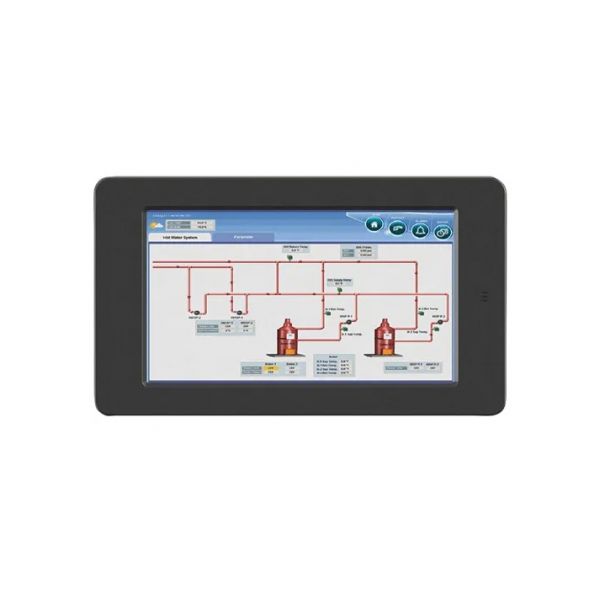
Honeywell R8001K1010 SLATE 10" Color Touch Display

Special Price $2,112.13 Regular Price $2,344.47
Out of stock
SKU
R8001K1010
The Honeywell R8001K1010 SLATE 10” Color Touch Screen Display is designed to operate as a user interface for commercial HVAC systems. It interacts with other HVAC equipment such as Rooftop Units, Air Handlers, Chillers, etc. enabling users to control temperature, time, and other related controls. The large touchscreen makes it easy to control the system and the performance is well illustrated. Advantages include increased control, energy conservation through proper time management, and easy building management that makes it suitable for commercial that require a convenient means of HVAC control.
https://www.partshnc.com/media/catalog/product/r/8/r8001k1010.jpg

Specifications

  • Type: Color Touch Display
  • Size: 10"
Write Your Own Review
You're reviewing:Honeywell R8001K1010 SLATE 10" Color Touch Display
Your Rating
Customer Questions
What maintenance is required for the Honeywell R8001K1010 Color Touch Display?

Regularly clean the touchscreen with a soft, dry cloth to remove dust and fingerprints. Check connections and mounting for stability. Proper maintenance ensures clear display visibility and accurate operation. Avoid using harsh chemicals and always power down before servicing.

What are common issues with the Honeywell R8001K1010 Color Touch Display?

  • Unresponsive or lagging touchscreen.
  • Display flickering or dimming.
  • Connectivity or communication errors.
  • Delayed input response or screen calibration issues.

Installation Steps

Step 1: Turn off power to the HVAC system before installation.

Step 2: Choose a suitable wall location, avoiding direct sunlight and moisture.

Step 3: Mount the backplate securely using screws and anchors.

Step 4: Connect the display wiring to the HVAC system terminals as per the installation guide.

Step 5: Snap the display onto the mounted backplate.

Step 6: Restore power and verify the touch display powers on and communicates correctly with the system.