Facebook Pixel

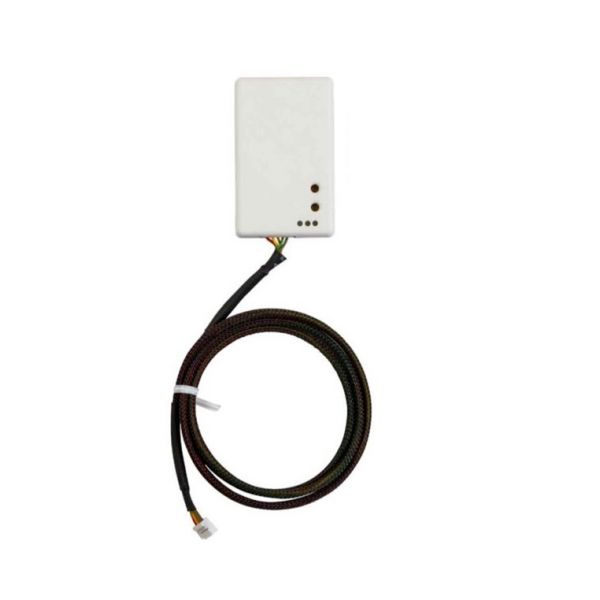
Mitsubishi Electric PAC-USWHS002-WF-2 Wi-Fi Interface Seamless Control W/Kumo Cloud

Special Price $244.34 Regular Price $271.21
In stock
SKU
PAC-USWHS002-WF-2
The Mitsubishi Electric PAC-USWHS002-WF-2 WiFi interface is a device that allows connecting your Mitsubishi Electric HVAC system to the Kumo Cloud. This device offers you the possibility of controlling and monitoring your home environment through an app on your smartphone. Because of WiFi connectivity, you can change settings, set up operations and receive system messages with the touch of a button on your palm. This WiFi interface works with specific Mitsubishi Electric indoor units and offers more control and energy efficiency to your home comfort system.
Manufacturer:

https://www.partshnc.com/media/catalog/product/p/a/pac-uswhs002-wf-2.jpg

Specifications

  • Type: WiFi Interface
  • Weight:0.32lbs
Manufacturer Name: Mitsubishi Electric
Product Number: PAC-USWHS002-WF-2
OEM Part Number: PAC-USWHS002-WF-2
Product Description: Wifi Interface Uses Kumo Cloud
Weight:0.32lbs/145.15g

Choose the best HVAC equipment parts and supplies from PartsHnC!

  • Same Day Shipping

  • Best Quality And Best Price

  • Wide Range of Inventory

  • Best Customer Service

Have More Questions or Need Help to Place The Order?
Reach us at (866)773-0907 or [email protected]

Write Your Own Review
You're reviewing:Mitsubishi Electric PAC-USWHS002-WF-2 Wi-Fi Interface Seamless Control W/Kumo Cloud
Your Rating
Customer Questions
What maintenance is required for the Mitsubishi Electric PAC-USWHS002-WF-2 Wi-Fi Interface Seamless Control?

Regularly check firmware updates to ensure optimal connectivity and security. Inspect connections for dust or corrosion and clean gently. Verify stable Wi-Fi signal and cloud access. Always power down the interface before handling to prevent electrical hazards.

What are common issues with the Mitsubishi Electric PAC-USWHS002-WF-2 Wi-Fi Interface Seamless Control?

  • Loss of Wi-Fi connectivity or frequent disconnections.
  • Delayed response to commands.
  • Cloud synchronization failures.
  • Firmware compatibility errors.

Installation Steps

Step1: Turn off power to the HVAC indoor unit at the breaker and confirm it’s off.

Step2: Remove the unit’s access panel to expose the control board and communication terminals.

Step3: Connect the Wi-Fi interface cable to the designated control and communication ports per the installation guide.

Step4: Secure the interface module in the unit using the supplied hardware.

Step5: Replace the access panel and restore power to the system.

Step6: Follow the Kumo Cloud app instructions to pair the interface and verify connectivity.