
Facebook Pixel

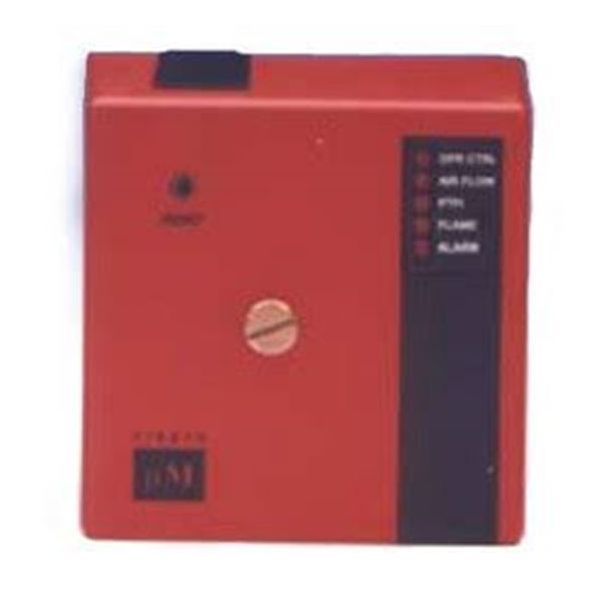
Fireye MEC120RD Micro M Chasis

Special Price $594.91 Regular Price $660.35
In stock
SKU
MEC120RD

The Fireye MEC120RD Micro M Chassis is a tiny and adaptable control module that improves the operation and performance of HVAC systems. This chassis acts as a focal point for connecting all the necessary parts and enabling smooth operation amongst different HVAC units, such as burners and boilers. Due to its small size, it may be easily installed in spaces that are limited in size while still providing accurate control and dependable performance. The MEC120RD improves system dependability, safety, and efficiency with its strong construction and cutting-edge features. It is a crucial part of HVAC system management since HVAC experts rely on its small size and wide range of functions to simplify processes, reduce downtime, and maintain an ideal environment.

Manufacturer:
https://www.partshnc.com/media/catalog/product/m/e/mec120rd_fireye_partshnc.jpg
Manufacturer Name: Fireye
Product Number: MEC120RD
OEM Part Number: MEC120RD
Product Description: Micro M Chasis
Weight:3.04lbs/1378.92g

Choose the best HVAC equipment parts and supplies from PartsHnC!

  • Same Day Shipping

  • Best Quality And Best Price

  • Wide Range of Inventory

  • Best Customer Service

Have More Questions or Need Help to Place The Order?
Reach us at (866)773-0907 or [email protected]

Write Your Own Review
You're reviewing:Fireye MEC120RD Micro M Chasis
Your Rating
Customer Questions
What maintenance is required for the Fireye MEC120RD Fireye MEC120RD Micro M Chasis?

Regularly inspect the chassis for dust buildup, loose connections, and corrosion. Ensure proper ventilation and secure mounting to prevent vibration damage. Periodically check wiring integrity and clean contacts using the electronic cleaning methods to ensure operation and safety.

What are common issues with the Fireye MEC120RD Fireye MEC120RD Micro M Chasis?

  • Power supply instability or intermittent shutdowns.
  • Loose or corroded terminal connections causing signal loss.
  • Overheating due to poor ventilation.
  • Configuration or firmware mismatch errors.
  • Communication failures with connected control modules.

Installation Steps

Step 1: Turn off all power and confirm burner/control system is fully isolated for safety.

Step 2: Mount chassis securely in control panel using din rail or hardware.

Step 3: Insert control modules firmly into designated slots.

Step 4: Connect power, interlock, and signal wiring per system schematic.

Step 5: Restore power and check indicators for proper initialization.

Step 6: Perform full burner safety and sequence test before placing system into service.