Facebook Pixel

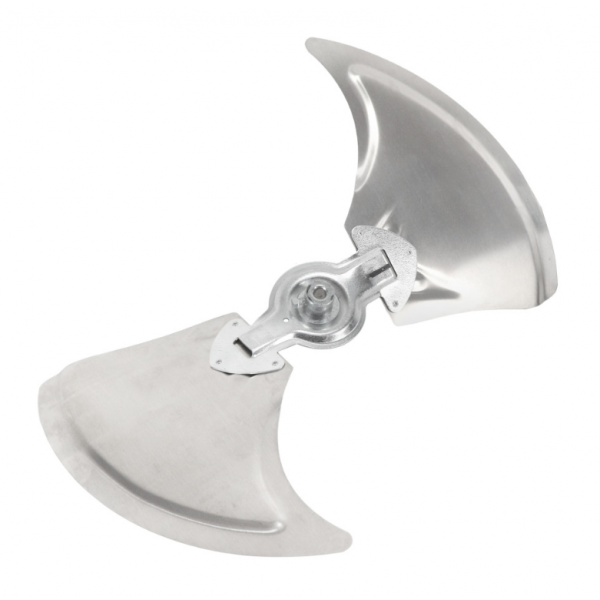
Carrier LA01RA059 Propeller Fan Blade

Special Price $90.99 Regular Price $104.64
Out of stock
SKU
LA01RA059
The Carrier LA01RA059 is an industrial propeller fan blade used in Carrier HVAC systems and is strong. Its primary characteristic is a 24-” diameter with a ½” center bore to match designated Carrier units. When the HVAC system is running, the LA01RA059 turns, effectively circulating air around the system. This circulation of air is useful in distribution of heat. It blows air in the right direction to ensure that temperatures are regulated and comfort is achieved in your house. Also, the steel construction ensures that it is strong enough to be used for long term in your Carrier HVAC system.
Manufacturer:

https://www.partshnc.com/media/catalog/product/l/a/la01ra059.png

Specifications

  • Length: 27 "
  • Width: 17 "
  • Height: 7 "
  • Composition: Steel
  • Fan Diameter: 24 "
  • Hub Bore Size: 1/2 "
  • Number of Blades: 2
  • Diameter: 24 "
  • Bore: 1/2 "
  • Weight: 4.07lbs
Manufacturer Name: Carrier
Product Number: LA01RA059
OEM Part Number: LA01RA059
Product Description: Propellar Fan Blade
Weight:4.07lbs/1846.12g

Choose the best HVAC equipment parts and supplies from PartsHnC!

  • Same Day Shipping

  • Best Quality And Best Price

  • Wide Range of Inventory

  • Best Customer Service

Have More Questions or Need Help to Place The Order?
Reach us at (866)773-0907 or [email protected]

Write Your Own Review
You're reviewing:Carrier LA01RA059 Propeller Fan Blade
Your Rating
Customer Questions
What maintenance is required for the Carrier LA01RA059 Fan Blade?

Regularly inspect the fan blade for cracks or wear, clean dust and debris from the surfaces, and ensure it spins freely without obstruction. Tighten mounting hardware as needed. Proper maintenance prevents imbalance and improves airflow efficiency.

What are common issues with the Carrier LA01RA059 Fan Blade?

  • Cracks or chips in the blades.
  • Imbalance causing vibration or noise.
  • Loosened mounting hardware.
  • Reduced airflow efficiency.

Installation Steps

Step 1: Turn off and disconnect the unit from the power source to ensure safety.

Step 2: Remove the existing fan blade by loosening the mounting nut or screws.

Step 3: Align the new blade on the motor shaft, ensuring proper orientation.

Step 4: Secure the blade firmly with the mounting nut, avoiding overtightening.

Step 5: Spin the blade manually to check for clearance and balance.

Step 6: Reconnect power and test operation, listening for unusual vibrations or noise.