Facebook Pixel

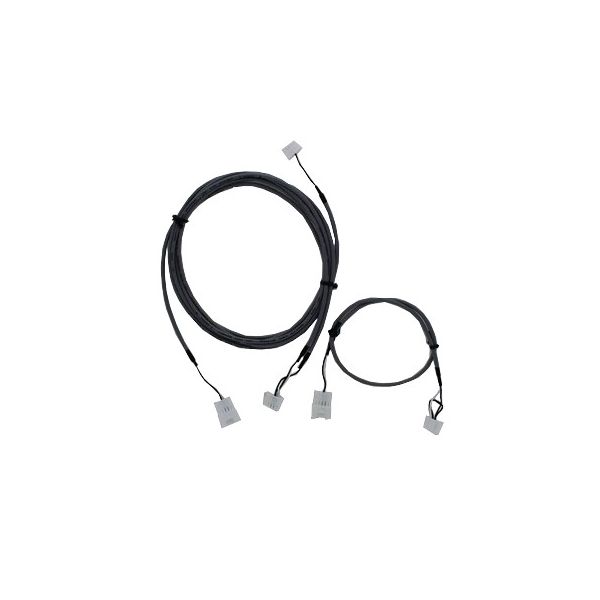
Navien Tankless Water Heaters GXXX000546 Ready-Link Communicating Cable

Special Price $34.85 Regular Price $45.30
Out of stock
SKU
GXXX000546
The Navien Tankless Water Heaters GXXX000546 Ready-Link Communicating Cable is an essential accessory that has been specifically developed to easily connect with HVAC systems. It makes Navien boilers and other compatible HVAC equipment work in harmony and in the most efficient way possible. This communicating cable enables the smooth transfer of data and control signals improving the performance of the HVAC system. Its main application is in residential and commercial boiler applications to help manage several units in a coordinated manner to address heating and energy consumption. This cable makes installation easier and minimizes the wiring clutter, making the installation neat.
https://www.partshnc.com/media/catalog/product/g/x/gxxx000546.jpg

Specifications

  • Length: 1/2"
  • Width: 3/4"
  • Height: 1/2"
  • Voltage: 120V
  • Weight: 0.1 Lbs
Manufacturer Name: NAVIEN TANKLESS WATER HEATERS
Product Number: GXXX000546
OEM Part Number: GXXX000546
Product Description: Ready-Link Communicating Cable
Weight:0.1lbs/45.36g

Choose the best HVAC equipment parts and supplies from PartsHnC!

  • Same Day Shipping

  • Best Quality And Best Price

  • Wide Range of Inventory

  • Best Customer Service

Have More Questions or Need Help to Place The Order?
Reach us at (866)773-0907 or [email protected]

Write Your Own Review
You're reviewing:Navien Tankless Water Heaters GXXX000546 Ready-Link Communicating Cable
Your Rating
Customer Questions
What maintenance is required for the Navien Tankless Water Heaters GXXX000546 Communicating Cable?

Regularly check the cable for wear, cuts, or loose connections. Ensure connectors are securely fastened and free of corrosion. Avoid kinks or sharp bends to maintain proper communication. Proper care prevents signal loss and system malfunctions.

What are common issues with the Navien Tankless Water Heaters GXXX000546 Communicating Cable?

  • Intermittent or lost communication signals.
  • Physical damage to the cable insulation.
  • Loose or corroded connectors.
  • Signal interference from nearby electrical sources.

Installation Steps

Step 1: Turn off power to heater at breaker and shut gas and water supply for safety.

Step 2: Locate communication ports on unit and remove cover carefully.

Step 3: Connect Ready-Link cable between primary and secondary unit communication terminals.

Step 4: Route cable away from heat sources and sharp edges; secure with clips.

Step 5: Restore power and configure Ready-Link settings via control panel; test connection carefully.