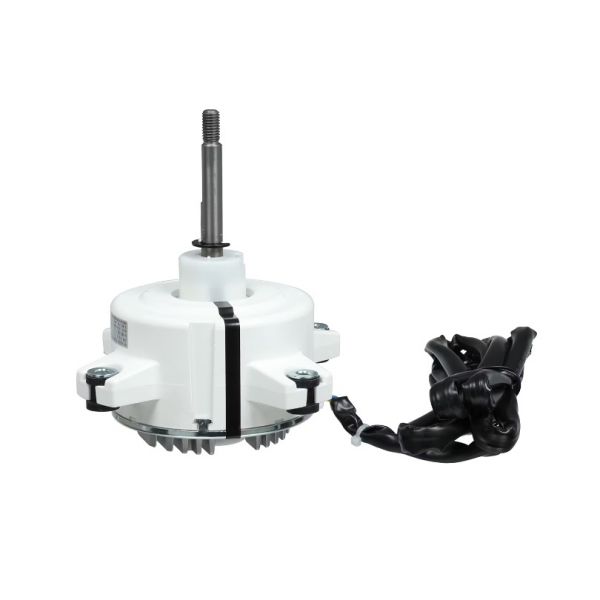
GREE 150104060013 Brushless DC Motor
Specifications
- Type: Brushless Dc Motor
Loyalty ProgramProvides controlled mechanical movement for a connected component within an HVAC system. The GREE 150104060013 Brushless DC Motor is designed to deliver the motor-driven movement required by the associated component during system operation.
Brushless DC Motor Operation:
Electronic commutation controls the magnetic interaction within the motor to produce rotor movement. The commutation process replaces the physical brush arrangement used in brushed motor designs, allowing electrical input to be controlled through electronic switching.
Electronic Commutation and Motor Drive:
Electronic switching coordinates the motor's internal magnetic fields as the rotor moves through its operating cycle. This arrangement governs the motor's rotational output and supports consistent mechanical movement of the connected component.
Replacement Guidelines:
Replacement may be appropriate when the existing motor no longer provides the required mechanical movement or develops a condition that prevents normal operation. Before selecting a replacement for the GREE 150104060013, consider whether the existing motor can no longer meet the operating requirements of the associated equipment.
Common Failure Symptoms:
Equipment Compatibility:
The GREE 150104060013 Brushless DC Motor should be selected for applications requiring the corresponding brushless DC motor configuration. Before purchasing, confirm the existing motor's part number, brushless DC configuration, and applicable system requirements.
Technical Specifications:
Brand: GREE
Part Number: 150104060013
Product Type: Brushless DC Motor
Step1: Turn off power to the unit at the breaker and confirm it’s off.
Step2: Remove the access panel and detach the fan blade or coupling from the old motor.
Step3: Disconnect wiring harness and label connections before removing the old motor.
Step4: Mount the new brushless DC motor securely and align the shaft with the driven component.
Step5: Reconnect wiring to matching terminals and ensure proper grounding.
Step6: Reinstall fan blade or coupling, replace the panel, restore power, and test operation.