
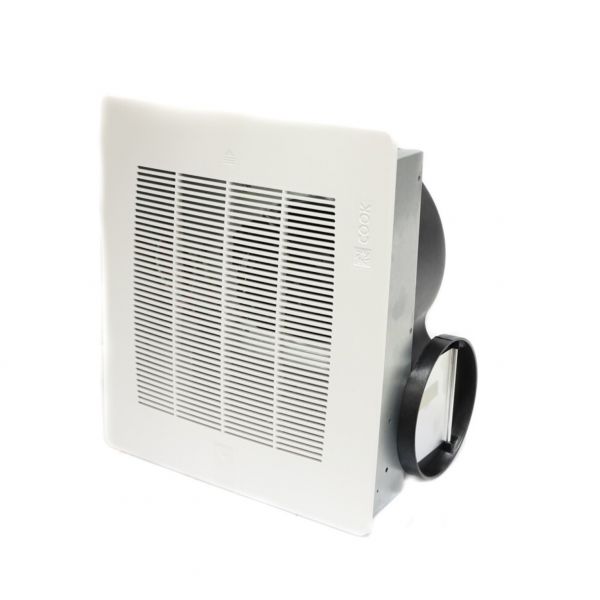
Loren Cook GC180 Ceiling Fan 100 Series
Specifications
- Type: Ceiling Fan
- Series: 100
Loyalty ProgramA ceiling fan provides mechanical air movement within a ventilation system. The Loren Cook GC180 Ceiling Fan 100 Series moves air through the served space to support the system's intended ventilation function. Its ceiling-mounted configuration positions the fan to provide air movement within the served area.
Ceiling Fan Air Movement:
The GC180 Ceiling Fan 100 Series uses fan rotation to move air through the associated ventilation system. This rotation provides the mechanical air movement required to circulate air through the area served by the fan.
Ceiling-Mounted Fan Operation:
The ceiling-mounted configuration positions the GC180 within the served area so that its rotating fan can provide mechanical air movement throughout the associated ventilation space. This arrangement supports the fan's intended role within the ventilation system.
Replacement Guidelines:
Replacement may be appropriate when the GC180 Ceiling Fan no longer provides the required air movement or develops physical damage that affects normal operation. Before selecting a replacement, verify the original part number, ceiling fan configuration, and applicable system requirements.
Common Failure Symptoms:
Equipment Compatibility:
The Loren Cook GC180 Ceiling Fan 100 Series should be selected for applications requiring the corresponding ceiling fan configuration. Before purchasing, verify the existing fan's part number, mounting configuration, product type, and applicable system requirements to confirm compatibility.
Technical Specifications:
Brand: Loren Cook
Part Number: GC180
Product Type: Ceiling Fan
Series: 100 Series
Step1: Turn off power at the circuit breaker before installation.
Step2: Mount the Loren Cook GC180 fan securely to the ceiling structure.
Step3: Connect the fan outlet to the ventilation duct if required.
Step4: Connect the fan to the electrical power supply following local electrical codes.
Step5: Tighten all mounting hardware securely.
Step6: Restore power and test the fan for proper operation