Facebook Pixel

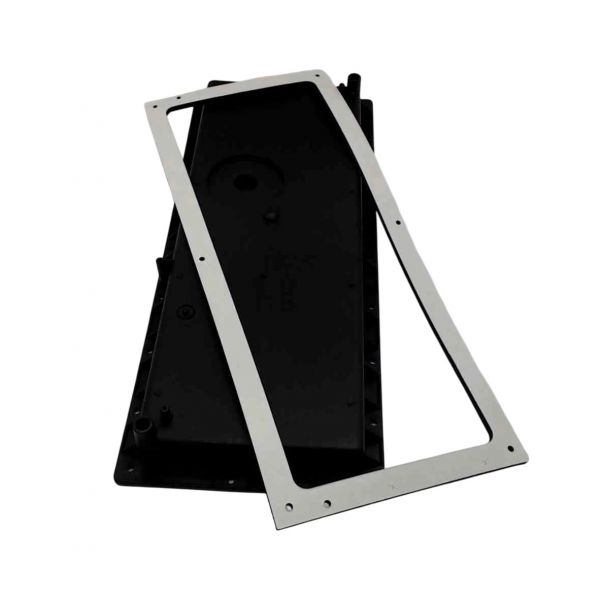
Amana-Goodman 0161F00030S Front Cover

Special Price $54.68 Regular Price $62.89
In stock
SKU
0161F00030S

The Amana-Goodman 0161F00030S Front Cover serves as a crucial component within HVAC systems, functioning to protect and enclose various internal components. This front cover protects delicate components from dust, debris, and other environmental elements, maintaining the integrity of the system while keeping durability in mind. Mainly incorporated into heating appliances like air handlers and furnaces, it is essential for preserving system performance and efficiency. The 0161F00030S Front Cover helps shield internal components from harm and extends the life of HVAC equipment by securing them safely. Its sturdy structure and precise engineering guarantee a secure fit and dependable protection, which helps to minimize maintenance requirements and provide hassle-free operation. the Amana-Goodman 0161F00030S Front Cover improves HVAC systems' lifetime and dependability, guaranteeing peak performance.

https://www.partshnc.com/media/catalog/product/0/1/0161f00030s.jpg
Manufacturer Name: Amana-Goodman
Product Number: 0161F00030S
OEM Part Number: 0161F00030S
Product Description: Front Cover
Weight:2.07lbs/938.94g

Choose the best HVAC equipment parts and supplies from PartsHnC!

  • Same Day Shipping

  • Best Quality And Best Price

  • Wide Range of Inventory

  • Best Customer Service

Have More Questions or Need Help to Place The Order?
Reach us at (866)773-0907 or [email protected]

Write Your Own Review
You're reviewing:Amana-Goodman 0161F00030S Front Cover
Your Rating
Customer Questions
What maintenance is required for the Amana-Goodman 0161F00030S Front Cover?

Regularly check the front cover for cracks, dents, or loose fasteners. Clean it gently to prevent dust buildup that can restrict airflow. Ensuring it is securely attached helps maintain system efficiency and prevents debris from entering the unit.

What are common issues with the Amana-Goodman 0161F00030S Front Cover?

  • Cracks or breaks in the cover.
  • Loose or missing screws.
  • Warping or misalignment.
  • Paint chipping or corrosion affecting appearance.

Installation Steps

Step 1: Turn off the HVAC system power before starting.

Step 2: Remove the existing front cover by unscrewing mounting screws.

Step 3: Align the new front cover with the unit’s frame.

Step 4: Secure the cover using the original or provided screws.

Step 5: Ensure the cover fits snugly and there are no gaps.

Step 6: Restore power and verify the unit operates correctly.