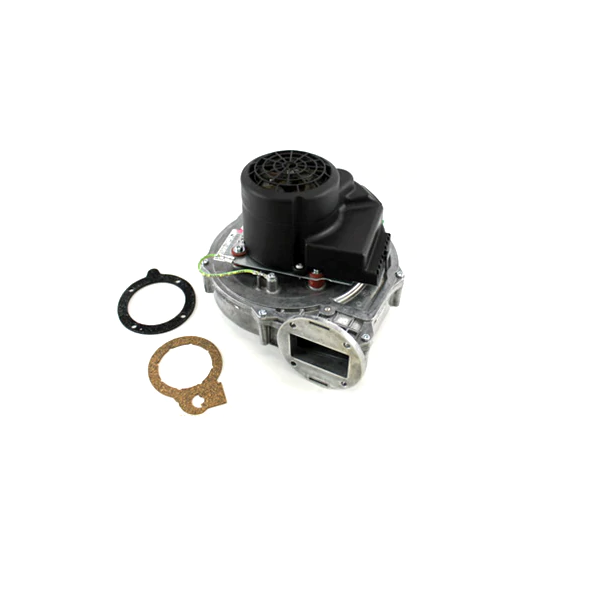
Lochinvar & A.O. Smith 100145008 Combustion Fan Assembly
Specifications
- Type: Combustion Fan Assembly
Loyalty ProgramCombustion systems depend on controlled air movement to support the intended combustion process within associated heating equipment. The Lochinvar & A.O. Smith 100145008 provides the air movement required within the associated combustion system. Its assembly configuration supports the airflow function required as part of the equipment's combustion sequence.
Fan Motor and Air Movement:
The assembly uses a motor-driven fan to create mechanical air movement through the connected combustion air path. The motor supplies the rotational drive, while the fan converts that movement into airflow.
Fan Assembly Mechanical Operation:
The rotating fan transfers mechanical energy to the surrounding air as it operates. This fan-driven movement carries air through the assembly's designated passage, providing the mechanical airflow output of the unit.
Replacement Guidelines:
Replacement may be appropriate when the existing assembly no longer produces the required air movement or develops physical damage that affects its operation. Before ordering, compare the existing Lochinvar & A.O. Smith 100145008 part number with the applicable heating equipment requirements and verified specifications.
Common Failure Symptoms:
Equipment Compatibility:
The Lochinvar & A.O. Smith 100145008 Combustion Fan Assembly should be selected for heating equipment requiring the corresponding combustion fan assembly configuration. Before purchasing, verify the existing 100145008 part number, equipment model, and required assembly arrangement against the original equipment documentation.
Technical Specifications:
Brand: Lochinvar & A.O. Smith
Part Number: 100145008
Product Type: Combustion Fan Assembly
Step1: Turn off and lock out power before beginning work.
Step2: Remove the access panel and disconnect the old fan wiring.
Step3: Unscrew and carefully remove the old fan assembly.
Step4: Install the new combustion fan assembly and secure mounting hardware.
Step5: Reconnect wiring, replace the panel, restore power, and test operation.