
Facebook Pixel

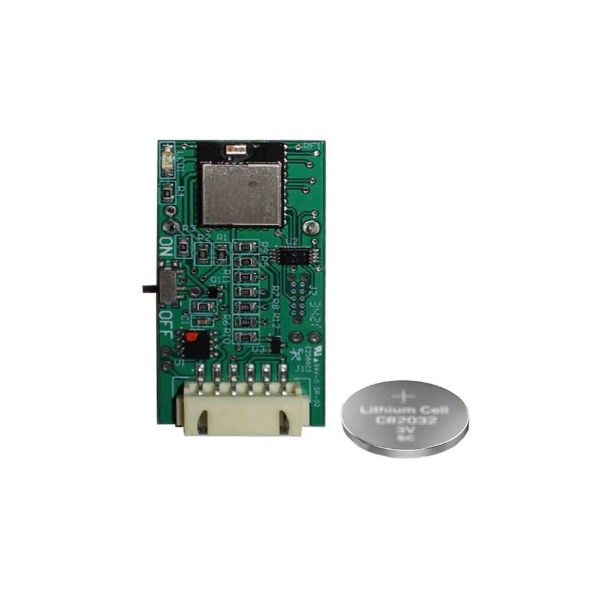
Daikin-McQuay BTSDL01-D Bluetooth Shared Data Loader DBU

Special Price $205.18 Regular Price $227.75
In stock
SKU
BTSDL01-D
The Daikin-McQuay BTSDL01-D BT Shared Data Loader is an essential tool developed for effective data handling in HVAC systems. This equipment is used to exchange common data with other compatible Daikin equipment and guarantee proper synchronization and communication with the rest of the network. It works by interfacing with the control boards of the various Daikin HVAC units where it is possible to upload and download system information in the quickest time possible. The small form factor and high quality construction ensure it withstands the tough conditions found in industrial applications, and can easily be used in other systems.
Manufacturer:

https://www.partshnc.com/media/catalog/product/b/t/btsdl01-d_daikin-mcquay_partshnc.jpg

Specifications

  • Type: Bluetooth Shared Data Loader part
    Manufacturer Name: Daikin-McQuay
    Product Number: BTSDL01-D
    OEM Part Number: BTSDL01-D
    Product Description: Bt Shared Data Loader Dbu
    Weight:0.09lbs/40.82g

    Choose the best HVAC equipment parts and supplies from PartsHnC!

    • Same Day Shipping

    • Best Quality And Best Price

    • Wide Range of Inventory

    • Best Customer Service

    Have More Questions or Need Help to Place The Order?
    Reach us at (866)773-0907 or [email protected]

    Write Your Own Review
    You're reviewing:Daikin-McQuay BTSDL01-D Bluetooth Shared Data Loader DBU
    Your Rating
    Customer Questions
    What maintenance is required for the Daikin-McQuay BTSDL01-D Bluetooth Shared Data Loader?

    Keep the component clean and free of dust. Ensure firmware is updated regularly and connections are secure. Avoid exposure to moisture and extreme temperatures to maintain accurate data transfer and prevent malfunctions.

    What are common issues with the Daikin-McQuay BTSDL01-D Bluetooth Shared Data Loader?

    • Connectivity interruptions or pairing failures.
    • Data transfer errors.
    • Bluetooth signal instability.
    • Firmware compatibility problems.

    Installation Steps

    Step 1: Turn off system power for safety.

    Step 2: Mount data loader unit near control panel with clear bluetooth signal path.

    Step 3: Connect communication cable to compatible controller port securely.

    Step 4: Power on system and enable bluetooth pairing mode per manual.

    Step 5: Pair with service tool, verify data transfer, and confirm successful communication.

    Step 6: Secure enclosure and check system for proper operation.