
Facebook Pixel

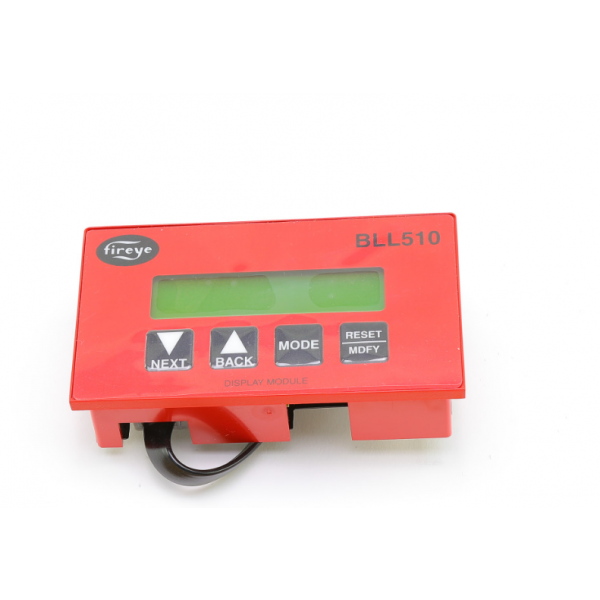
Fireye BLL510 LCD Keypad Display W/Cable 2-Line 16-character

Special Price $579.49 Regular Price $643.23
In stock
SKU
BLL510

The Fireye BLL510 LCD is a sophisticated 16-character, two-line display unit that is straightforward to install with the included wire. This display offers real-time feedback and parameter monitoring for HVAC systems, particularly for burner management and combustion control applications. The BLL510 display, which works with Fireye control systems, gives users access to vital data like temperature, pressure, and status codes. This facilitates system monitoring and appropriate adjustment by operators. This LCD monitor improves system visibility and makes troubleshooting and maintenance jobs easier with its simple user interface. The BLL510 display also helps to increase system protection and productivity by giving operators timely information to guarantee optimum performance and adherence to industry standards.

https://www.partshnc.com/media/catalog/product/s/c/screenshot_2025-03-20_084744.png
Manufacturer Name: Fireye
Product Number: BLL510
OEM Part Number: BLL510
Product Description: Lcd Display 2Line 16Chr W/Cabl
Weight:0.41lbs/185.97g

Choose the best HVAC equipment parts and supplies from PartsHnC!

  • Same Day Shipping

  • Best Quality And Best Price

  • Wide Range of Inventory

  • Best Customer Service

Have More Questions or Need Help to Place The Order?
Reach us at (866)773-0907 or [email protected]

Write Your Own Review
You're reviewing:Fireye BLL510 LCD Keypad Display W/Cable 2-Line 16-character
Your Rating
Customer Questions
What maintenance is required for the Fireye BLL510 LCD Keypad Display?

Inspect cable connections and keypad for wear or corrosion. Clean the LCD screen with soft cloth to prevent dust buildup. Verify operation and ensure mounting is tight to avoid vibration issues.

What are common issues with the Fireye BLL510 LCD Keypad Display?

  • Unresponsive keypad inputs or stuck keys.
  • Dim or fading LCD visibility.
  • Communication cable faults causing intermittent data loss.
  • Loose mounting leading to vibration-related faults.
  • Display flicker or random resets.

Installation Steps

Step 1: Turn off power to burner/control system and verify lockout to ensure safety.

Step 2: Mount LCD keypad display securely on panel using provided hardware and alignment.

Step 3: Connect cable between display and control module, ensuring correct orientation.

Step 4: Secure wiring, avoiding sharp bends or heat exposure along routing path.

Step 5: Restore power and check display startup.

Step 6: Configure parameters and test communication with control system for proper operation.