Facebook Pixel

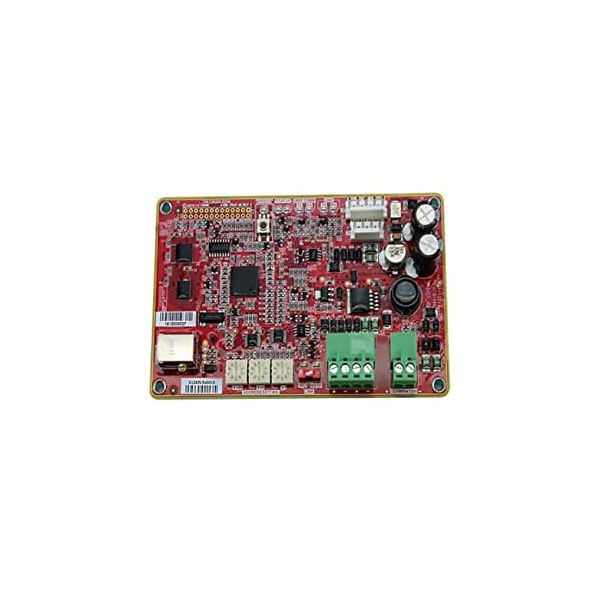
Trane BAYBCIR001A BACnet Communication Interface

Special Price $570.41 Regular Price $828.95
In stock
SKU
BAYBCIR001A
The Trane BAYBCIR001A Bacnet Communication Interface is a small and portable device that is used to help connect different HVAC equipment and building automation systems. This interface operates on a 24V voltage to interface compatible Trane HVAC systems with external controllers for accurate monitoring and controlling of data. In controlling temperature, humidity, and air flow the BAYBCIR001A has been put in place to give the finest performance possible with the use of energy in the least amount possible. This interface improves the general performance of HVAC systems by allowing monitoring and control from a distance, cutting on maintenance costs, and making occupants more comfortable.
Manufacturer:

https://www.partshnc.com/media/catalog/product/b/a/baybcir001a_trane_partshnc.jpg

Specifications

  • Length: 2"
  • Width: 2"
  • Height: 2"
  • Voltage: 24V
  • Weight: 0.77lbs
Manufacturer Name: Trane
Product Number: BAYBCIR001A
OEM Part Number: BAYBCIR001A
Product Description: Bacnet Communication Interface
Weight:0.77lbs/349.27g

Choose the best HVAC equipment parts and supplies from PartsHnC!

  • Same Day Shipping

  • Best Quality And Best Price

  • Wide Range of Inventory

  • Best Customer Service

Have More Questions or Need Help to Place The Order?
Reach us at (866)773-0907 or [email protected]

Write Your Own Review
You're reviewing:Trane BAYBCIR001A BACnet Communication Interface
Your Rating
Customer Questions
What maintenance is required for the Trane BAYBCIR001A BACnet Communication Interface?

Regularly inspect wiring connections and communication ports for looseness or corrosion. Ensure firmware is up to date for accurate BACnet communication. Keep the interface clean and free from dust buildup. Always power down the system before servicing to avoid electrical hazards.

What are common issues with the Trane BAYBCIR001A BACnet Communication Interface?

  • Communication loss between devices or network.
  • Incorrect BACnet configuration settings.
  • Firmware compatibility or update failures.
  • Intermittent signal transmission errors.
  • Faulty or loose wiring connections.

Installation Steps

Step 1: Turn off HVAC power and secure lockout/tagout before handling any wiring.

Step 2: Mount interface module in control panel securely using factory mounting points.

Step 3: Connect BACnet MS/TP or Ethernet wiring per schematic, ensuring correct polarity and shielding.

Step 4: Set system address and network parameters according to BAS configuration requirements.

Step 5: Restore power and confirm communication with BAS controller after startup.

Step 6: Check LEDs and test system integration for proper data exchange.