Facebook Pixel

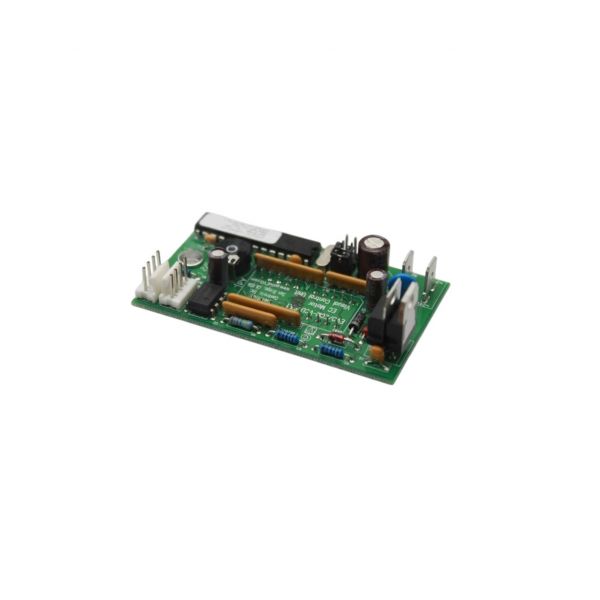
Marvair 70363 Control Unit Digital W/O Plate

Special Price $225.47 Regular Price $250.28
In stock
SKU
70363
Marvair 70363 Digital control unit that helps in managing and monitoring HVAC systems effectively. This advanced control unit which can precisely regulate temperature, humidity, and other condition factors, has been created to enhance the performance and extend the life of the unit. The has an interface with real-time system diagnostics. This is useful for the users as it helps to increase system reliability, reduce energy consumption, and prolong the life of HVAC equipment. Remote monitoring for proactive maintenance and reduced downtime. The is ideal for industrial, commercial, and residential HVAC systems, as it enhances comfort and operational control via a precise condition control system that requires a certain controlled condition.
Manufacturer:
https://www.partshnc.com/media/catalog/product/7/0/70363.jpg

Specifications

  • Type: Control Unit Digital
    Manufacturer Name: Marvair
    Product Number: 70363
    OEM Part Number: 70363
    Product Description: Control Unit Digital W/O Plate
    Weight:0.07lbs/31.75g

    Choose the best HVAC equipment parts and supplies from PartsHnC!

    • Same Day Shipping

    • Best Quality And Best Price

    • Wide Range of Inventory

    • Best Customer Service

    Have More Questions or Need Help to Place The Order?
    Reach us at (866)773-0907 or [email protected]

    Write Your Own Review
    You're reviewing:Marvair 70363 Control Unit Digital W/O Plate
    Your Rating
    Customer Questions
    What maintenance is required for the Marvair 70363 Control Unit?

    Regularly check the control unit for dust buildup and secure wiring connections. Clean gently with a dry cloth and avoid moisture exposure to prevent electrical shorts. Proper care ensures accurate operation and prevents signal errors. Follow safety precautions when handling powered equipment.

    What are common issues with the Marvair 70363 Control Unit?

    • Unresponsive or erratic controls.
    • Display malfunctions or fading.
    • Loose or damaged wiring connections.
    • Failure to properly regulate HVAC operations.

    Installation Steps

    Step1: Turn off all power before beginning installation.

    Step2: Remove any existing control unit or cover plate.

    Step3: Position the new control unit securely in place, aligning mounting points.

    Step4: Connect all electrical wires according to the wiring diagram.

    Step5: Attach the cover plate if applicable.

    Step6: Restore power and test the unit for proper operation.

    Step7: Follow safety precautions to avoid electrical shock or damage.