Facebook Pixel

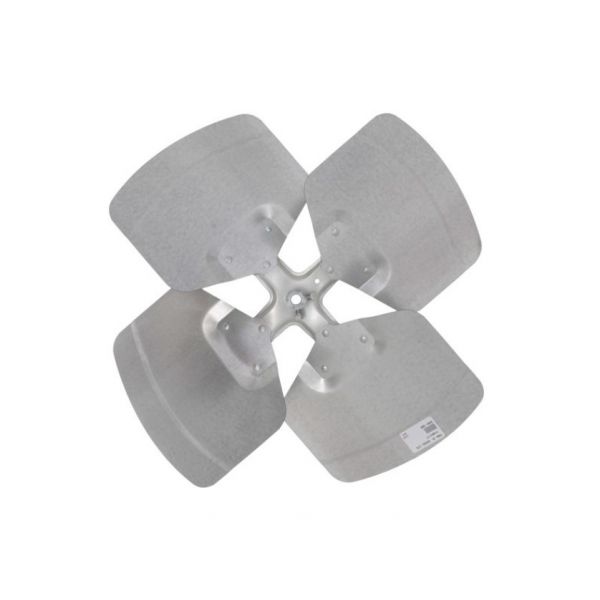
Bard HVAC 5151-045BX 4-Blade Condenser Fan 20" DIA

Special Price $205.99 Regular Price $228.65
In stock
SKU
5151-045BX
The Bard HVAC 5151-045BX Condenser Fan Blade is an essential component meant for HVAC systems which finds its application in the outside condensing units. This particular fan blade measures 20 inches in bore diameter and has four blades to pull ambient air across the condenser coils in order to remove heat from the refrigerant. In this way, it contributes to the regulation of temperature indoors through the proper conditioning of the air and by optimizing the condition of a building’s airflow. Some of the advantages of this product include Energy conservation, low cost of operation, and longevity of equipment.
https://www.partshnc.com/media/catalog/product/5/1/5151-045bx.jpg

Specifications

  • Type: Condenser Fan Blade
  • Bore Diameter: 20"
  • Number of Blades: 4
Manufacturer Name: Bard HVAC
Product Number: 5151-045BX
OEM Part Number: 5151-045BX
Product Description: 20" Fan Blade Cd; 4-Blade
Weight:5lbs/2267.96g

Choose the best HVAC equipment parts and supplies from PartsHnC!

  • Same Day Shipping

  • Best Quality And Best Price

  • Wide Range of Inventory

  • Best Customer Service

Have More Questions or Need Help to Place The Order?
Reach us at (866)773-0907 or [email protected]

Write Your Own Review
You're reviewing:Bard HVAC 5151-045BX 4-Blade Condenser Fan 20" DIA
Your Rating
Customer Questions
What maintenance is required for the Bard HVAC 5151-045BX Condenser Fan Blade?

Regular maintenance includes cleaning blades and housing to prevent airflow restriction, inspecting motor bearings, tightening mounting hardware, and checking electrical connections. Ensure debris is removed from condenser space and balance is maintained to reduce vibration and overheating risks.

What are common issues with the Bard HVAC 5151-045BX Condenser Fan Blade?

  • Motor overheating due to electrical imbalance or wear.
  • Blade damage or bending causing vibration and noise.
  • Bearing failure leading to reduced rotation speed or seizure.
  • Loose mounting causing instability and operational noise.

Installation Steps

Step 1: Turn off power and confirm unit is fully de-energized.

Step 2: Remove top grille or fan guard for access to fan assembly.

Step 3: Loosen set screw and remove old fan blade carefully from motor shaft.

Step 4: Inspect shaft for damage and clean mounting surface.

Step 5: Install new fan, aligning correct rotation direction marking.

Step 6: Tighten set screw securely and ensure proper blade clearance.

Step 7: Restore power and test airflow, checking for vibration or noise.

Step 8: Wear gloves and keep hands clear of sharp blades during operation testing.