Facebook Pixel

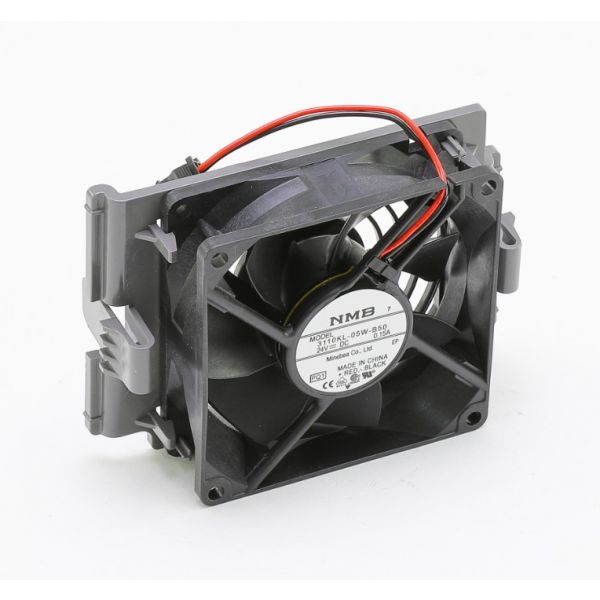
ABB 3AUA0000139138 Drive Module Fan Kit

Special Price $162.06 Regular Price $186.37
Out of stock
SKU
3AUA0000139138

The ABB 3AUA0000139138 ABB Drive Module Fan Kit is an essential component utilized in HVAC systems, specifically in drive modules for motors and variable frequency drives (VFDs). In order to keep the drive module from overheating and to guarantee that the motor or VFD operates at its best, this fan kit cools it. Installing the ABB fan kit improves the entire performance of the HVAC system by maintaining temperature regulation and efficiency in air handling units, pumps, and fans, among other equipment. The equipment has a longer lifespan and requires less maintenance because of its sturdy build and effective cooling capabilities. Furthermore, the fan kit's easy installation and small form make it a convenient alternative for HVAC specialists, allowing for quick and hassle-free maintenance.

Manufacturer:
https://www.partshnc.com/media/catalog/product/3/a/3aua0000139138.jpg
Manufacturer Name: ABB
Product Number: 3AUA0000139138
OEM Part Number: 3AUA0000139138
Product Description: Abb Drive Module Fan Kit
Weight:0.58lbs/263.08g

Choose the best HVAC equipment parts and supplies from PartsHnC!

  • Same Day Shipping

  • Best Quality And Best Price

  • Wide Range of Inventory

  • Best Customer Service

Have More Questions or Need Help to Place The Order?
Reach us at (866)773-0907 or [email protected]

Write Your Own Review
You're reviewing:ABB 3AUA0000139138 Drive Module Fan Kit
Your Rating
Customer Questions
What maintenance is required for the ABB 3AUA0000139138 Drive Module Fan Kit?

Regularly inspect the fan kit for dust, debris, or loose mounting components. Clean the fan blades and ensure proper airflow through the drive module. Proper maintenance prevents overheating and ensures accurate cooling. Always disconnect power before servicing the fan.

What are common issues with the ABB 3AUA0000139138 Drive Module Fan Kit?

  • Fan not spinning or operating intermittently.
  • Accumulation of dust or debris.
  • Loose or damaged mounting components.
  • Overheating of the drive module.

Installation Steps

Step1: Turn off power to the drive and lock out the circuit for safety.

Step2: Remove the existing fan assembly carefully, noting mounting orientation.

Step3: Install the new fan kit in the same position, securing all screws.

Step4: Connect any electrical plugs or wires.

Step5: Restore power and test the drive module for proper cooling operation.