Facebook Pixel

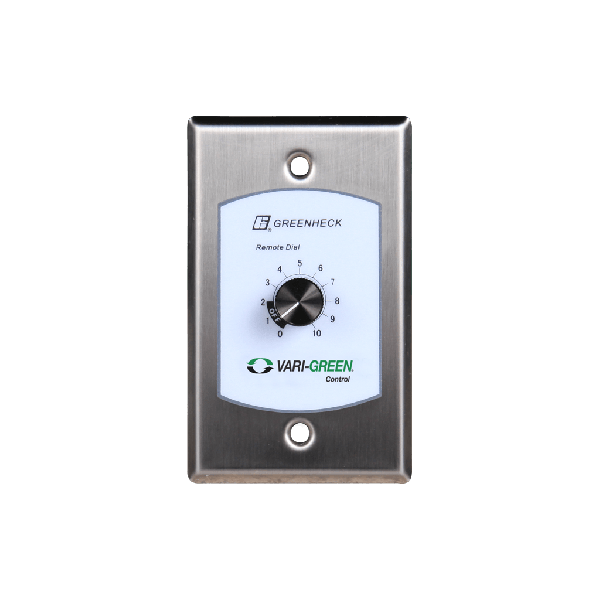
Greenheck 385803 Varigreen Remote Dial Min/Max Set

Special Price $144.43 Regular Price $166.10
In stock
SKU
385803
The Greenheck 385803 Varigreen Remote Dial Min/Max Set is a specialist speed controller designed to fine-tune fan speeds in HVAC systems. It works on a voltage of 24 VDC which allows it to be used in almost any HVAC installation. It works as the remote dial speed controller where one can set and change the minimum and maximum fan speeds. It does this through connection with compatible variable frequency drives or motor controllers and can be used to set the airflow rate according to specific environmental or operational requirements.
Manufacturer:

https://www.partshnc.com/media/catalog/product/3/8/385803_greenheck_partshnc.png

Specifications

  • Weight: 0.29lbs
  • Type: Remote Dial Speed Controller
  • Voltage Range: 24 VDC
  • Material: Plastic,Metal
Manufacturer Name: Greenheck
Product Number: 385803
OEM Part Number: 385803
Product Description: Varigreen Remotedialminmaxset
Weight:0.29lbs/131.54g

Choose the best HVAC equipment parts and supplies from PartsHnC!

  • Same Day Shipping

  • Best Quality And Best Price

  • Wide Range of Inventory

  • Best Customer Service

Have More Questions or Need Help to Place The Order?
Reach us at (866)773-0907 or [email protected]

Write Your Own Review
You're reviewing:Greenheck 385803 Varigreen Remote Dial Min/Max Set
Your Rating
Customer Questions
What maintenance is required for the Greenheck 385803 Remote Dial?

Regularly inspect the dial and wiring for dust, dirt, or corrosion. Clean gently and ensure all connections are secure. Test functionality periodically, avoid excessive force when adjusting, and disconnect power before servicing for safety.

What are common issues with the Greenheck 385803 Remote Dial?

  • Inaccurate readings due to miscalibration.
  • Loose or damaged wiring connections.
  • Dial mechanism sticking or failing to respond.
  • Display or indicator errors affecting monitoring.

Installation Steps

Step1: Turn off power to the fan or ventilation system to ensure safety.

Step2: Remove the access panel to access the control wiring.

Step3: Disconnect wiring from the old remote dial, noting connections.

Step4: Mount the new Varigreen remote dial in the desired location.

Step5: Reconnect wiring according to the noted configuration.

Step6: Secure the dial and replace any access panels.

Step7: Restore power to the system.

Step8: Test operation to confirm proper minimum and maximum speed settings.