Facebook Pixel

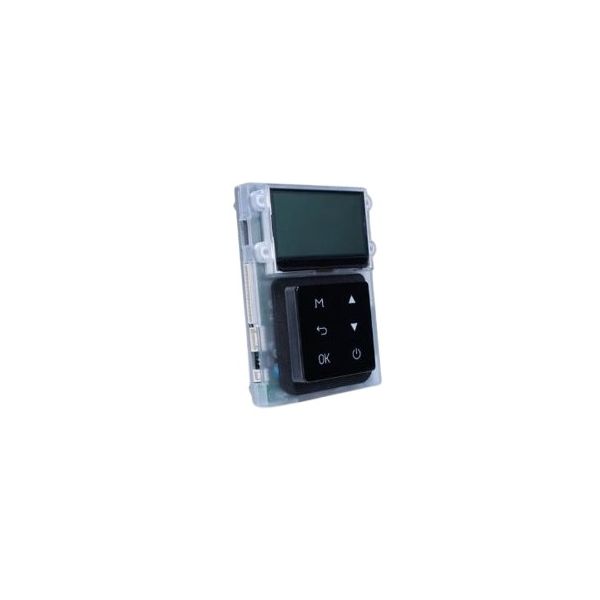
Navien Tankless Water Heaters 30027275A Front Panel GWP-303 NPE-A2/S2

Special Price $120.94 Regular Price $139.08
In stock
SKU
30027275A
The Navien Tankless Water Heaters 30027275A GWP-303 NPE-A2/S2 Front Panel is a custom-assembled part necessary only for the NPE A2 and NPE S2 Water Heaters made by NAVIEN. This in turn affords the heater the much-needed protection for its interior parts as well as a measure of permanence. Its main function is to provide shelter to sensitive elements from the environmental conditions while at the same time allowing easy access to components within for maintenance and repair activities. This is because the design of the system is quite plain and therefore it is easy to check and service, and the setting up and dismantling are done in a short time.
Navien Parts,
https://www.partshnc.com/media/catalog/product/3/0/30027275a.jpg

Specifications

  • Weight: 0.81lbs
  • Material: Plastic
  • Function: Front panel
Manufacturer Name: NAVIEN TANKLESS WATER HEATERS
Product Number: 30027275A
OEM Part Number: 30027275A
Product Description: Front Panel Gwp-303 Npe-A2/S2
Weight:0.81lbs/367.41g

Choose the best HVAC equipment parts and supplies from PartsHnC!

  • Same Day Shipping

  • Best Quality And Best Price

  • Wide Range of Inventory

  • Best Customer Service

Have More Questions or Need Help to Place The Order?
Reach us at (866)773-0907 or [email protected]

Write Your Own Review
You're reviewing:Navien Tankless Water Heaters 30027275A Front Panel GWP-303 NPE-A2/S2
Your Rating
Customer Questions
What maintenance is required for the Navien Tankless Water Heaters 30027275A Front Panel?

Regularly wipe the front panel with a soft, damp cloth to remove dust and prevent discoloration. Inspect for cracks or loose mounting screws. Avoid harsh chemicals, and ensure proper reattachment after maintenance to protect internal components and maintain safety.

What are common issues with the Navien Tankless Water Heaters 30027275A Front Panel?

  • Display not lighting or responding properly.
  • Buttons sticking or failing to register input.
  • Cracks, scratches, or physical damage to the panel.
  • Loose or misaligned mounting affecting secure fit.

Installation Steps

Step1: Turn off the water heater and disconnect power before starting.

Step2: Remove the existing front panel by loosening screws or clips.

Step3: Align the new front panel with mounting points on the unit.

Step4: Secure the panel with screws or clips without forcing it into place.

Step5: Ensure all buttons and indicators are unobstructed.

Step6: Reconnect power and verify the panel functions correctly.

Step7: Follow safety precautions and manufacturer instructions during installation.