Facebook Pixel

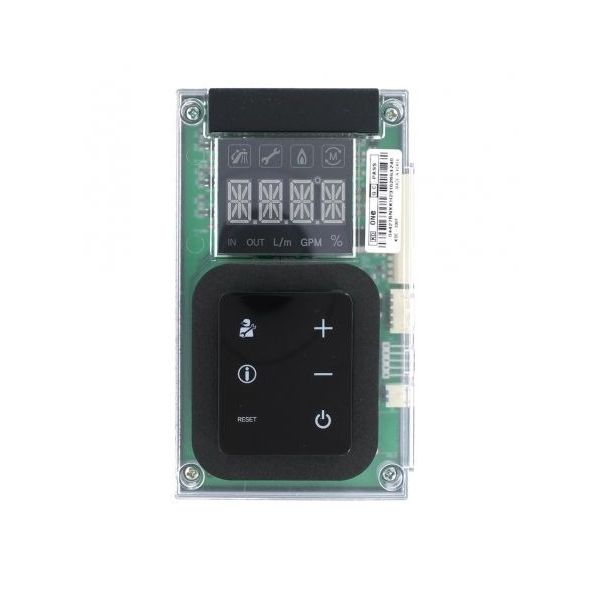
NAVIEN TANKLESS WATER HEATERS 30008333D Display Front Panel

Special Price $107.26 Regular Price $123.35
In stock
SKU
30008333D
The Navien Tankless Water Heaters 30008333D Display Front Panel is a genuine replacement part that is used only for Navien Tankless Water Heaterswater heaters. It serves as a touch screen that shows key details concerning the performance and status of the water heater. This entails water temperature, error codes and heater status. The front panel buttons and knobs are used to control the water heater The front panel display of the Navien Tankless Water Heaterswater heater can be damaged or malfunction and this will affect your ability to monitor the water heater.
https://www.partshnc.com/media/catalog/product/3/0/30008333d.jpg

Specifications

  • Weight: 0.41lbs
  • Function: Display Front Panel for Navien water heaters
  • Length: 6"
Manufacturer Name: NAVIEN TANKLESS WATER HEATERS
Product Number: 30008333D
OEM Part Number: 30008333D
Product Description: Npe Front Panel
Weight:0.41lbs/185.97g

Choose the best HVAC equipment parts and supplies from PartsHnC!

  • Same Day Shipping

  • Best Quality And Best Price

  • Wide Range of Inventory

  • Best Customer Service

Have More Questions or Need Help to Place The Order?
Reach us at (866)773-0907 or [email protected]

Write Your Own Review
You're reviewing:NAVIEN TANKLESS WATER HEATERS 30008333D Display Front Panel
Your Rating
Customer Questions
What maintenance is required for the Navien Tankless Water Heaters 30008333D Display Front Panel?

Regularly wipe the display panel with a soft, dry cloth to remove dust and fingerprints. Avoid using difficult chemicals that can damage the screen. Check for secure connections and ensure the panel is properly seated to maintain accurate readings and safe operation.

What are common issues with the Navien Tankless Water Heaters 30008333D Display Front Panel?

  • Unresponsive or flickering display.
  • Incorrect temperature or error readings.
  • Loose or damaged connectors.
  • Cracks or physical damage to the panel.

Installation Steps

Step1: Turn off the power before starting.

Step2: Remove the existing front panel carefully.

Step3: Align the new display panel with the mounting slots or screw holes.

Step4: Secure the panel using the provided fasteners.

Step5: Reconnect any electrical connectors to the display.

Step6: Restore power and check that the display functions properly.