Facebook Pixel

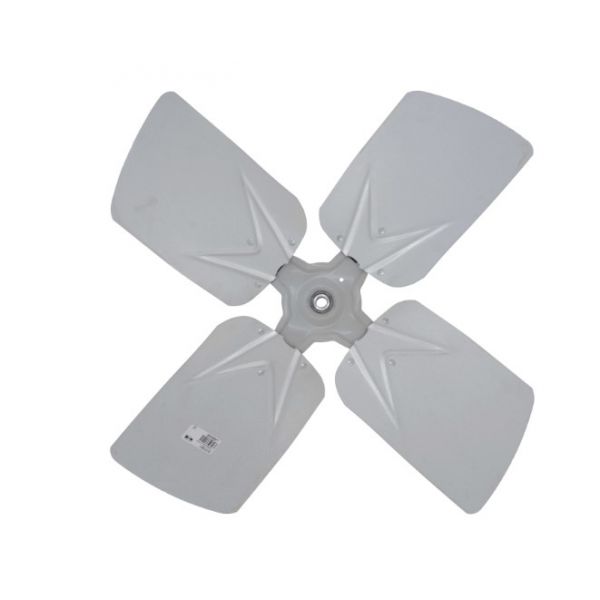
Carrier LA680546 4-Blade Fan 1/2" Bore 26" DIA CCW

Special Price $122.19 Regular Price $153.43
In stock
SKU
LA680546
The Carrier LA680546 is a Fan Blade, used in different Carrier HVAC equipment. It has four blades that are made of steel for a long-lasting and rust-free operation. It has a 26” diameter and a 1/2” bore size, which allows proper air circulation inside the HVAC unit. The angles of the blades have been designed to be at 28 degrees to facilitate the right flow of air for heat exchange. They specified that a clockwise rotating pump is being used, this model turns counterclockwise. It offers support as it also moves air across the HVAC system. It has a significant role in ensuring the proper airflow and heat exchange in the HVAC system.
Manufacturer:

https://www.partshnc.com/media/catalog/product/l/a/la680546.jpg

Specifications

  • Size: 26 x 26 x 3.7 "
  • Composition: Steel
  • Fan Diameter: 26 "
  • Hub Bore Size: 1/2 "
  • Pitch: 28°
  • Prop 65: No
  • Rotation: Clockwise (CW)
  • Weight: 6.45lbs
Manufacturer Name: Carrier
Product Number: LA680546
OEM Part Number: LA680546
Product Description: 26"Dia 1/2"Bre Ccw 4Bld Fan
Weight:6.45lbs/2925.67g

Choose the best HVAC equipment parts and supplies from PartsHnC!

  • Same Day Shipping

  • Best Quality And Best Price

  • Wide Range of Inventory

  • Best Customer Service

Have More Questions or Need Help to Place The Order?
Reach us at (866)773-0907 or [email protected]

Write Your Own Review
You're reviewing:Carrier LA680546 4-Blade Fan 1/2" Bore 26" DIA CCW
Your Rating
Customer Questions
What maintenance is required for the Carrier LA680546 Fan Blade?

Regularly inspect the fan blades and hub for dirt, debris, or damage. Clean blades carefully and ensure the bore is free of obstructions. Check that mounting hardware is tight and the fan spins smoothly to maintain balanced operation and prevent vibration.

What are common issues with the Carrier LA680546 Fan Blade?

  • Imbalanced or bent blades causing vibration.
  • Loose or worn mounting hardware.
  • Fan not spinning freely due to obstructions.
  • Noise or wobbling during operation.

Installation Steps

Step 1: Turn off power to the HVAC unit at the breaker to prevent electrical shock.

Step 2: Remove the fan guard or housing to access the existing blade.

Step 3: Loosen the set screw and carefully slide the old blade off the motor shaft.

Step 4: Align the new blade on the shaft CCW orientation and tighten the set screw securely.

Step 5: Reassemble the housing and restore power.