Facebook Pixel

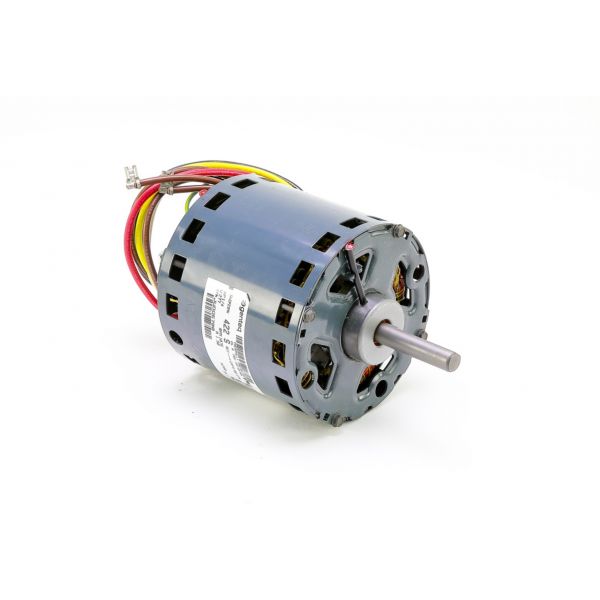
Daikin-McQuay JWDQ5780 1/4HP 4-Speed Motor 1075 RPM 265V

Special Price $280.06 Regular Price $310.87
Out of stock
SKU
JWDQ5780
The Daikin-McQuay JWDQ5780 1/4HP motor is used in HVAC systems, has a speed of 1075 RPM, and is powered by 265V. This 4-speed motor is designed for flexibility, and it is for different HVAC systems. Its high-quality material designs make it reliable and capable of withstanding numerous conditions despite the tough conditions and the several speeds to choose from make it improve on its performance. This is applied in air handling units and fan coil systems where control of the airflow is necessary in supplying quality and comfortable air indoors.
https://www.partshnc.com/media/catalog/product/j/w/jwdq5780-daikin-mcquay_partshnc.jpg

Specifications

  • Type: Motor
  • Horsepower: 1/4HP
  • Operating Speeds: 4
  • Speed: 1075 RPM
  • Voltage: 265V
Manufacturer Name: Daikin-McQuay
Product Number: JWDQ5780
OEM Part Number: JWDQ5780
Product Description: 1/4Hp 265V 1075Rpm 4Spd Motor
Weight:11.49lbs/5211.77g

Choose the best HVAC equipment parts and supplies from PartsHnC!

  • Same Day Shipping

  • Best Quality And Best Price

  • Wide Range of Inventory

  • Best Customer Service

Have More Questions or Need Help to Place The Order?
Reach us at (866)773-0907 or [email protected]

Write Your Own Review
You're reviewing:Daikin-McQuay JWDQ5780 1/4HP 4-Speed Motor 1075 RPM 265V
Your Rating
Customer Questions
What maintenance is required for the Daikin-McQuay JWDQ5780 Motor?

Clean dust and debris from motor housing and vents to maintain cooling and efficiency. Check wiring electrical connections and mounting tightness to prevent vibration issues during operation. Lubricate bearings if applicable and watch for noise or overheating during use.

What are common issues with the Daikin-McQuay JWDQ5780 Motor?

  • Motor overheating under heavy load.
  • Irregular speed or failure to switch speeds.
  • Excessive vibration or noise from worn bearings.
  • Electrical failure due to faulty wiring or capacitor issues.
  • Reduced airflow performance or weak output.

Installation Steps

Step 1: Disconnect power at the breaker and verify voltage.

Step 2: Remove access panel and label existing motor wires.

Step 3: Detach mounting bolts and carefully remove the old motor.

Step 4: Mount the new motor securely, aligning the shaft and brackets.

Step 5: Reconnect wires according to the wiring diagram and speed taps.

Step 6: Reinstall the fan blade and ensure proper rotation.

Step 7: Restore power and test operation.