Facebook Pixel

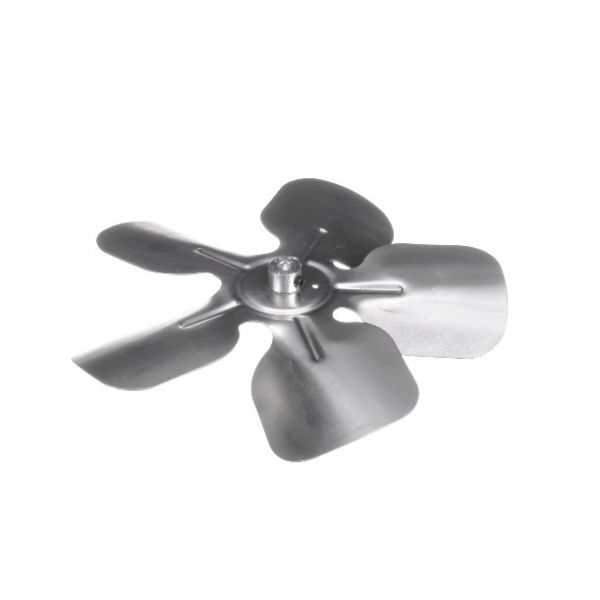
Reznor 132465 5-Blade Fan CW 10" DIA 20° Pitch 3/8" Bore

Special Price $63.33 Regular Price $72.83
In stock
SKU
132465
The Reznor 132465 5-Blade Fan moves air effectively through HVAC systems. The clockwise-rotating fan blade operates with a 10" diameter and 20° blade pitch while having a 3/8" bore size for achieving optimal airflow during heat distribution. Performance together with energy efficiency receives improvement through the exact design along with durable construction which optimizes air circulation. This product operates perfectly as a replacement solution for faulty or deteriorated blades to preserve system stability and lengthen equipment lifetime becoming vital for heat comfort in commercial and industrial buildings.
https://www.partshnc.com/media/catalog/product/1/3/132465.jpg

Specifications

  • Type: Fan Blade
  • No of Blades: 5
  • Diameter: 10"
  • Pitch: 20°
  • Bore Size: 3/8"
Manufacturer Name: Reznor
Product Number: 132465
OEM Part Number: 132465
Product Description: 10"Dia 20Deg 3/8" Cw 5Bld Fan
Weight:0.88lbs/399.16g

Choose the best HVAC equipment parts and supplies from PartsHnC!

  • Same Day Shipping

  • Best Quality And Best Price

  • Wide Range of Inventory

  • Best Customer Service

Have More Questions or Need Help to Place The Order?
Reach us at (866)773-0907 or [email protected]

Write Your Own Review
You're reviewing:Reznor 132465 5-Blade Fan CW 10" DIA 20° Pitch 3/8" Bore
Your Rating
Customer Questions
What maintenance is required for the Reznor 132465 Fan Blade?

Inspect the fan blade regularly for dust buildup, bent blades, loose hub mounting, or imbalance that may affect airflow performance. Clean the blades carefully to maintain efficient air circulation and heat transfer. Periodically verify secure shaft fitment and check for vibration or unusual noise during HVAC operation.

What are common issues with the Reznor 132465 Fan Blade?

  • Blade imbalance causing vibration.
  • Worn bearings leading to noise.
  • Reduced airflow from dust buildup.
  • Loose hub or mounting causing wobble.
  • Motor strain due to obstruction or misalignment.

Installation Steps

Step 1: Turn off power and secure the unit to prevent accidental startup during servicing.

Step 2: Remove the access panel and detach the old fan blade from the motor shaft carefully.

Step 3: Clean the shaft and inspect for wear or misalignment before installing the new blade.

Step 4: Slide the new blade onto the shaft, aligning keyway or set screw properly, then tighten securely.

Step 5: Restore power and test rotation, checking for smooth airflow, vibration, and proper clearance.