Facebook Pixel

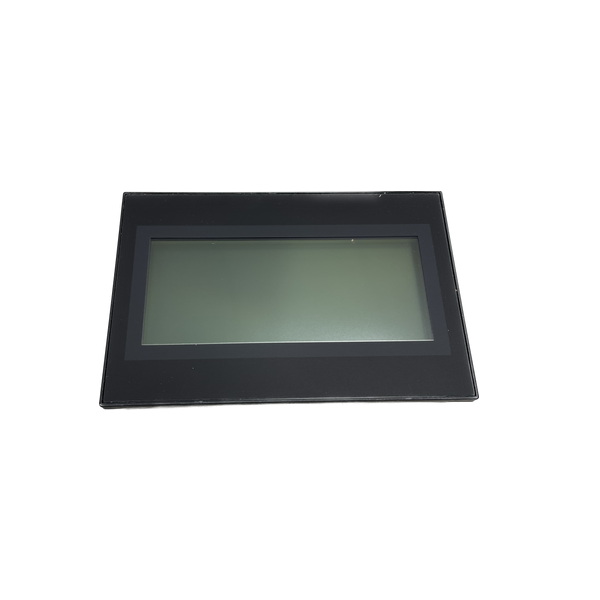
Velocity Boiler Works (Crown) 107864-04 Display Kit Phantom/Raptor

Special Price $405.14 Regular Price $449.71
In stock
SKU
107864-04
The Velocity Boiler Works (Crown) 107864-04 is a Display Kit, an accessory that should not be missed when installing boilers is the Phantom/Raptor Display Kit. Users can easily control and even supervise their boiler systems because of the simplicity of this digital display package. It simplifies installation. This display package designed to integrate with Phantom and Raptor HVAC systems allows customers to monitor boiler status, temperature, and pressure in real time. The positive impact of the digital display is realized in several ways, including providing clear and understandable information, allowing timely changes, and guaranteeing the efficiency of boilers.

https://www.partshnc.com/media/catalog/product/1/0/107864-04_velocity-boiler-works-crown_partshnc.png

Specifications

  • Weight: 0.66 lbs
  • Type: Phantom/Raptor Display Kit
  • Display Type: Digital
Manufacturer Name: Velocity Boiler Works (Crown)
Product Number: 107864-04
OEM Part Number: 107864-04
Product Description: Display Kit - Phantom/Raptor
Weight:0.66lbs/299.37g

Choose the best HVAC equipment parts and supplies from PartsHnC!

  • Same Day Shipping

  • Best Quality And Best Price

  • Wide Range of Inventory

  • Best Customer Service

Have More Questions or Need Help to Place The Order?
Reach us at (866)773-0907 or [email protected]

Write Your Own Review
You're reviewing:Velocity Boiler Works (Crown) 107864-04 Display Kit Phantom/Raptor
Your Rating
Customer Questions
What maintenance is required for the Velocity Boiler Works (Crown) 107864-04 Display Kit?

Keep the display clean and free of dust using a soft, dry cloth. Inspect wiring and connectors regularly for secure attachment and damage. Avoid exposure to moisture or excessive heat. Proper maintenance ensures accurate readings and reliable operation.

What are common issues with the Velocity Boiler Works (Crown) 107864-04 Display Kit?

  • Unresponsive or blank display.
  • Flickering or dim screen.
  • Incorrect or inconsistent readouts.
  • Connection issues with the control system.

Installation Steps

Step 1: Turn off power to the appliance at the breaker to avoid electrical hazards.

Step 2: Remove the existing display panel or cover carefully.

Step 3: Connect the wiring harness to the new display kit, matching connectors securely.

Step 4: Mount the display using provided screws or brackets.

Step 5: Restore power and test functionality.

Step 6: Ensure all connections are secure and follow manufacturer safety guidelines.