Facebook Pixel

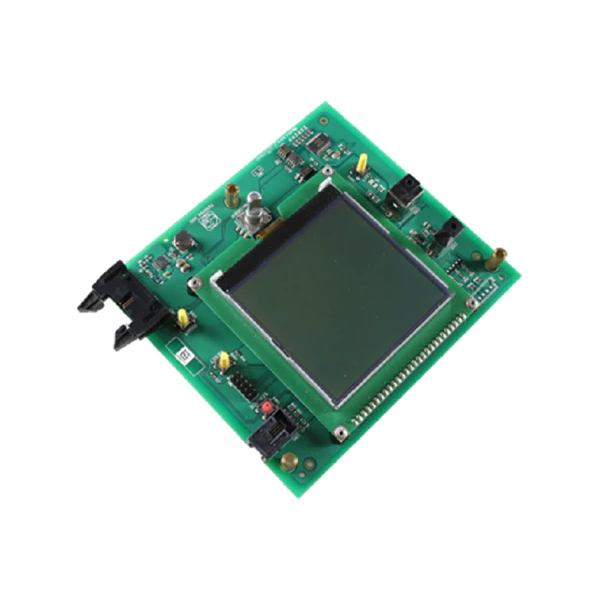
Lochinvar & A.O. Smith 100304118 User Interface Control

Special Price $349.10 Regular Price $387.50
In stock
SKU
100304118
The Lochinvar & A.O. Smith 100304118 User-Interface Control is intended to provide unparalleled ease of operation and control over your HVAC. It offers an intuitive approach which can be used to supervise multiple aspects of the heating as well as cooling equipment, including temperature and the fans’ speed, the mode of operation and the like. This control works with many varieties of Lochinvar and A.O. Smith boilers, furnaces and air handlers, it also is a great product for homeowners and commercial property owners.
Lochinvar Parts,
Manufacturer:
https://www.partshnc.com/media/catalog/product/1/0/100304118_lochinvar--a.o.-smith_partshnc_2.png

Specifications

  • Type: User Interface Control
    Manufacturer Name: Lochinvar & A.O. Smith
    Product Number: 100304118
    OEM Part Number: 100304118
    Product Description: User Interface Control
    Weight:0.67lbs/303.91g

    Choose the best HVAC equipment parts and supplies from PartsHnC!

    • Same Day Shipping

    • Best Quality And Best Price

    • Wide Range of Inventory

    • Best Customer Service

    Have More Questions or Need Help to Place The Order?
    Reach us at (866)773-0907 or [email protected]

    Write Your Own Review
    You're reviewing:Lochinvar & A.O. Smith 100304118 User Interface Control
    Your Rating
    Customer Questions
    What maintenance is required for the Lochinvar & A.O. Smith 100304118 User Interface Control?

    Keep the interface clean and free from dust or moisture to ensure responsive operation. Inspect wiring connections periodically for looseness or corrosion. Regular checks maintains accurate control and prevent system communication errors. Always disconnect power before servicing.

    What are common issues with the Lochinvar & A.O. Smith 100304118 User Interface Control?

    • Unresponsive touch or button inputs.
    • Display failure or blank screen.
    • Communication errors with control board.
    • Wiring or connectivity faults causing signal loss.
    • Software or firmware glitches affecting operation.

    Installation Steps

    Step 1: Turn off power to the system and verify shutdown.

    Step 2: Remove the front panel and carefully access the control compartment.

    Step 3: Disconnect the old user interface module, noting all wiring connections.

    Step 4: Mount the new interface control in the same position securely.

    Step 5: Reconnect wiring harnesses firmly to matching terminals.

    Step 6: Restore power and test display, navigation buttons, and system response.