
Facebook Pixel

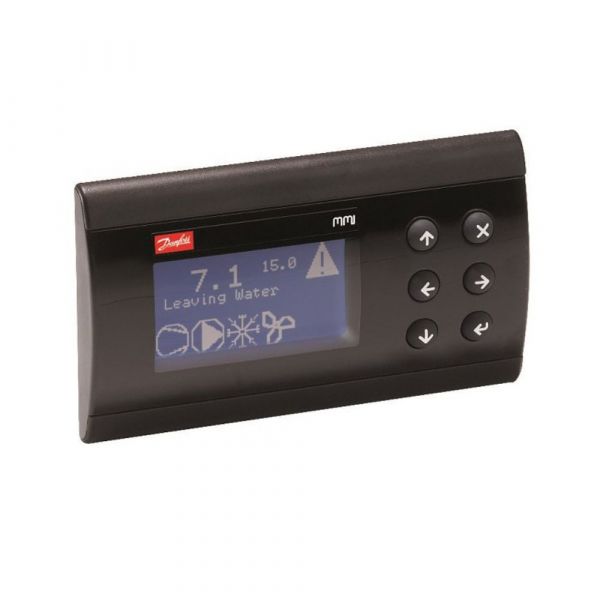
Danfoss 080G0294 Electronic Control Panel MMIGRS2

Special Price $456.08 Regular Price $506.25
Out of stock
SKU
080G0294
The Danfoss 080G0294 MMIGRS2 is an electronic control panel that will offer proper management of the HVAC systems for efficiency. This is a small size and portable device built from aluminum material with size of 1.1 liters and it can be easily installed and integrated into all types of HVAC systems. This control panel gives well performance, consumes at least 1.5 watts of power, and operates on a standard 24V supply voltage. It has the compatibility of 50/60 Hz frequency and thus offers flexibility in the whole world. The HVAC system of the MMIGRS2 provides intelligent control over some parts and operations.
https://www.partshnc.com/media/catalog/product/0/8/080g0294_danfoss_partshnc.jpg

Specifications

  • Volume: 1.1 Liter
  • Frequency: 50/60HZ
  • Type: Electronic Control Panel
  • Voltage: 24V
  • Material: Aluminum
  • Power consumption [W]: 1.5 W
  • Weight: 0.58 Lb
Manufacturer Name: Danfoss
Product Number: 080G0294
OEM Part Number: 080G0294
Product Description: Mmigrs2 Elect Control Panel
Weight:0.58lbs/263.08g

Choose the best HVAC equipment parts and supplies from PartsHnC!

  • Same Day Shipping

  • Best Quality And Best Price

  • Wide Range of Inventory

  • Best Customer Service

Have More Questions or Need Help to Place The Order?
Reach us at (866)773-0907 or [email protected]

Write Your Own Review
You're reviewing:Danfoss 080G0294 Electronic Control Panel MMIGRS2
Your Rating
Customer Questions
What maintenance is required for the Danfoss 080G0294 Control Panel?

Regularly inspect the panel for dust, moisture, or loose wiring. Clean surfaces carefully and verify all connectors are secure. Proper maintenance ensures accurate control signals and prevents operational errors. Always disconnect power before performing any service.

What are common issues with the Danfoss 080G0294 Control Panel?

  • Unresponsive or erratic controls.
  • Faulty or loose electrical connections.
  • Display or indicator malfunction.
  • Overheating of internal components.

Installation Steps

Step 1: Disconnect power to the unit and verify zero voltage before starting.

Step 2: Mount the control panel securely in the designated cutout or enclosure.

Step 3: Connect wiring harnesses and communication cables per the wiring diagram.

Step 4: Secure all connections and ensure proper grounding to avoid electrical issues.

Step 5: Restore power, configure settings as required, and test the panel for proper operation.